Beta 0.901beta

The rack.

Click a module to open its faceplate, ports, and starting patch.

Video Float / CV Audio

88 written entries · snapshot 2026-09-02

Sources

Open row
Effects

Open row

Modulators

Open row

Mix / Output

Open row
Guide

Patchframe signal basics

Patchframe is a modular visual system. You build a patch by placing modules and connecting compatible ports with patch cables. A simple first patch is a visual source connected to an effect, then connected to Output.

Video

A video signal is a moving picture on a cable. Sources create it, effects transform it, mixers combine it, and Output shows or sends it. It can come from a file, a camera, a live feed, or a generated image.

CV

CV means control value. It is a number that can change over time—for example, a slow wave, a random value, or the strength of a beat. CV is not a picture and is not sound you hear. It is used to move a parameter, select a level, or carry an analyzed value between modules.

Audio analysis and control values

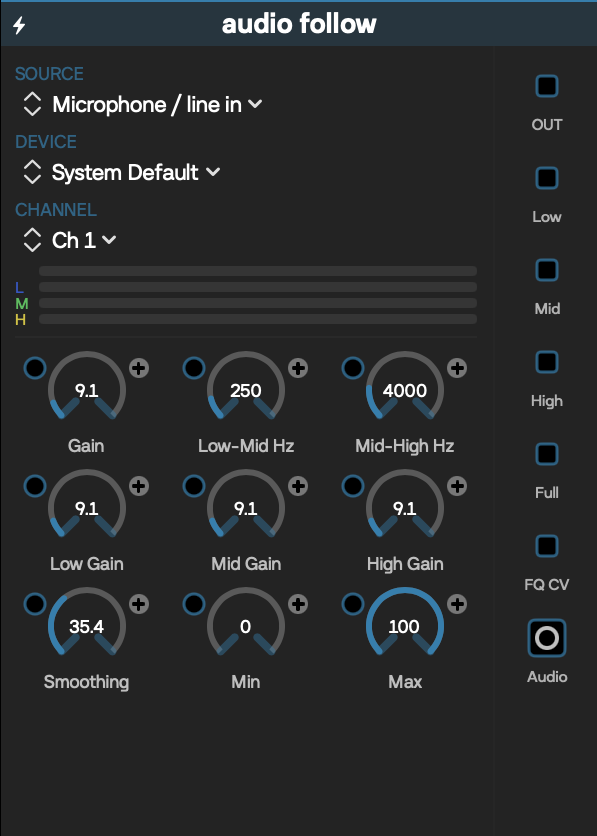
Audio-reactive modules listen to microphone, line-in, or another supported audio source and measure qualities such as loudness or frequency energy. They can turn those measurements into CV for visual control. Patchframe can also carry stereo audio frames between compatible audio ports, allowing modules to pass, analyze, or send audio alongside visuals. Audio and video remain separate signal types.

Triggers

A trigger is a brief event meaning carried on a float/CV port, often as a change from a low value to a high value. Use one when something should happen once, such as advancing a step, restarting motion, or firing an action. A trigger is not a separate cable type: trigger-labelled and ordinary CV ports carry the same kind of numeric signal, so they are compatible where a module is designed to interpret that signal as an event.

Ports and patch cables

Ports are the labeled connection points on a module. An input receives a signal; an output sends one. A patch cable joins an output to a compatible input. Patchframe has three connection types: video, float/CV, and audio. “Trigger” describes how a float/CV value is used, not a fourth connection type. If a cable is refused or produces no result, check both port types and whether the upstream module is producing a signal.

Parameter modulation

Modulation lets a CV output move a parameter automatically. Connect the CV output to that parameter’s CV input; the incoming value is limited to 0…1 and mapped across the minimum and maximum set by the control’s bracket markers. With + polarity, CV rises from the bracket minimum toward the maximum. With − polarity, that mapping is reversed. Narrow the bracket range for subtler movement, and use polarity to choose the direction.

Feedback safety

Feedback sends an earlier result back into the patch so frames build on one another. It can create rich trails, but it can also become bright, unstable, or visually intense very quickly. Begin with conservative blend or feedback amounts, keep a direct way to reach Output, and be ready to disconnect the feedback cable or bypass the relevant module. Take extra care around flashing imagery.

Output

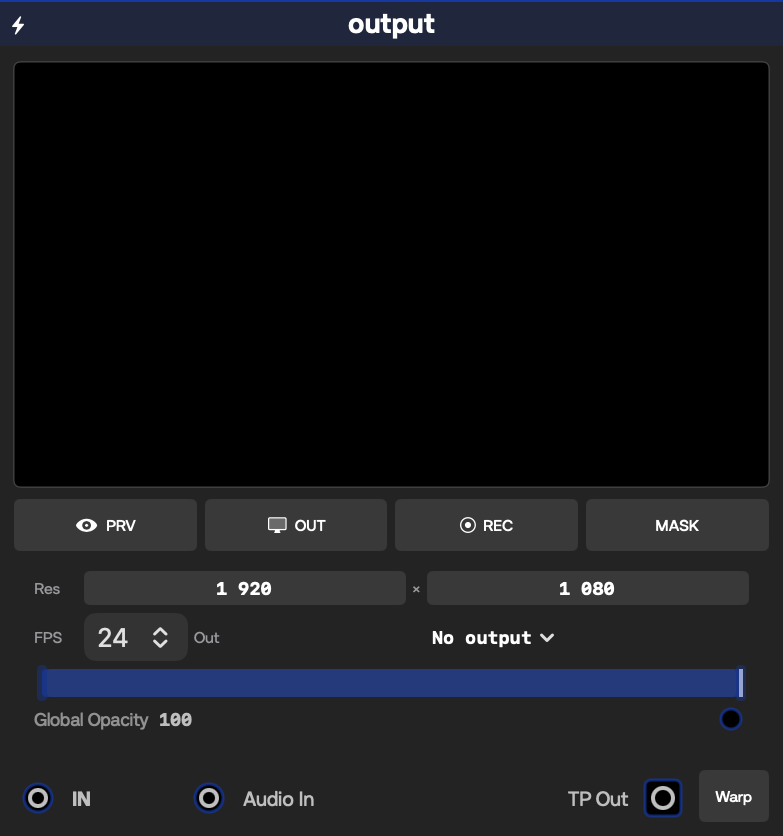
Output is the final destination for the main picture. Connect the video you want viewers to see to Output. A patch is intended to have one Output module, so the Add Module picker offers it only when the graph does not already contain one. Utility outputs and external sending modules may have different purposes; their entries will call that out.

Guide

How to read module entries

Each completed module entry follows the same pattern:

  • Inputs tables name each incoming port, its signal type, and what it accepts.
  • Outputs tables name each outgoing port, its signal type, and what it provides.
  • Controls tables show the control name, starting default, allowed range or choices, adjustment step when one matters, and the visible effect.
  • Defaults are the module’s starting settings. A loaded patch can store different values.
  • Ranges, options, and steps describe what the current Beta allows. A range gives its endpoints; options list named choices; a step is the smallest normal adjustment.
  • Dynamic ports are created or rebuilt from the module’s current content. Modules such as ISF, LiveCode, Group, and Macro may therefore show different ports from one patch to another; their entries describe the rule instead of claiming one fixed layout.
  • Work-in-progress notes identify known uncertainty, external requirements, permissions, timing, performance, or safety considerations without guessing.
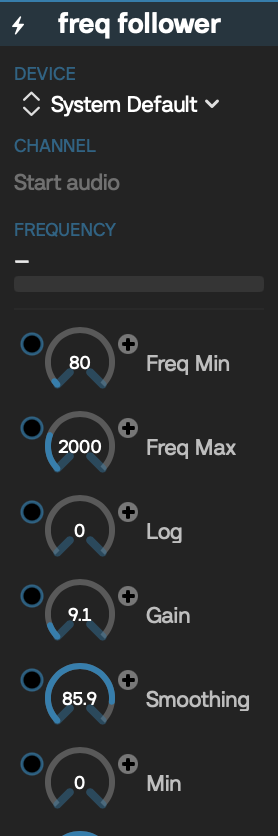
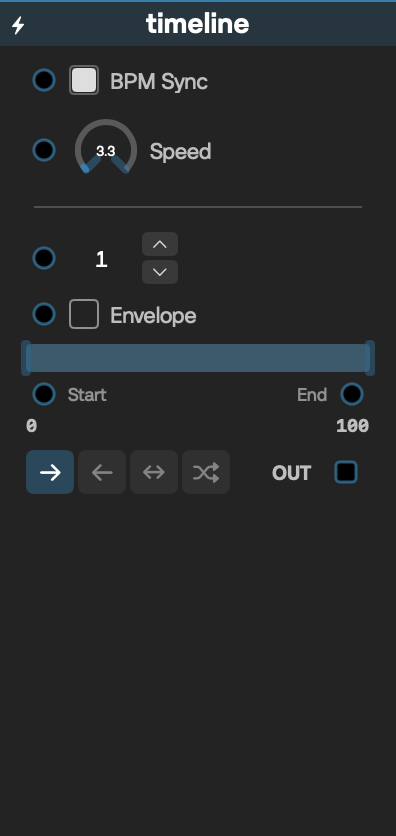
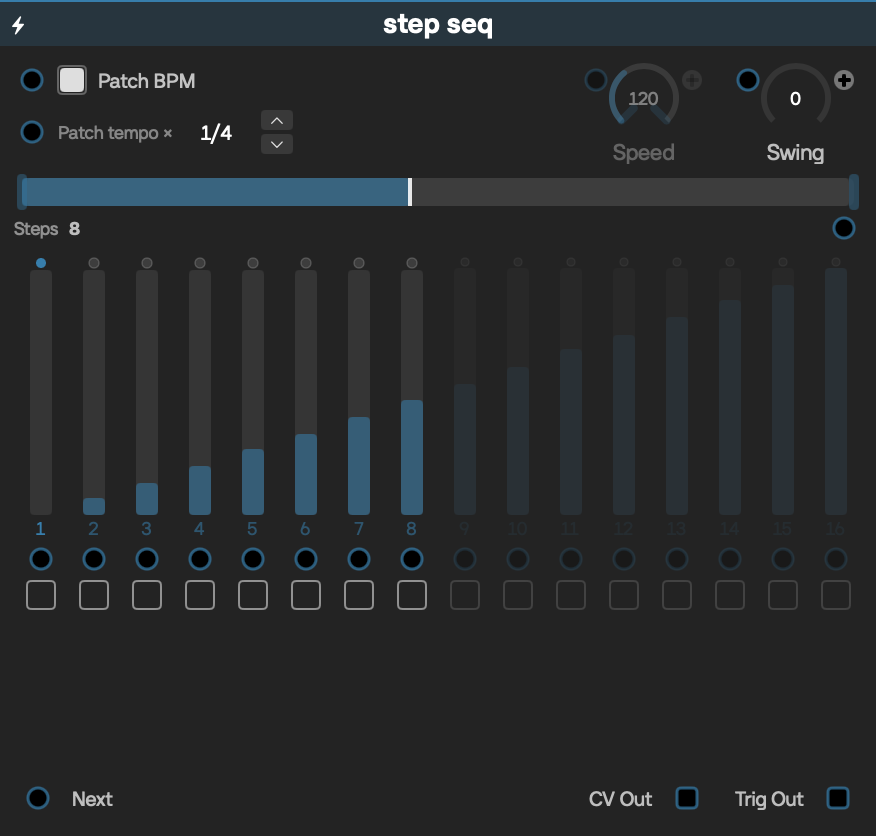
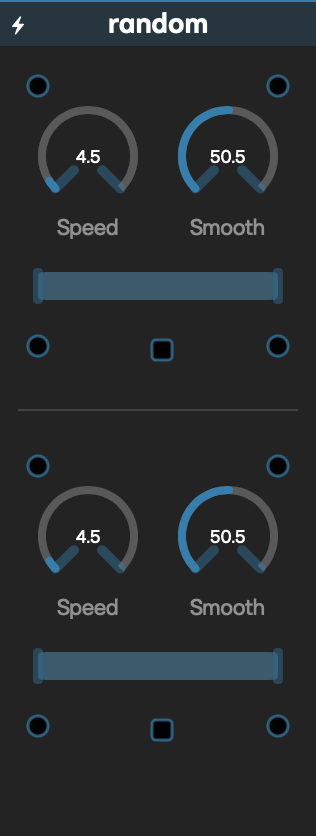
  • Existing faceplates are included where available. They are orientation aids; the tables and notes describe the current behavior.
Guide

Compatibility / Availability

The sections below keep older or non-picker module types separate from modules that testers can add normally. They are not part of the 88-entry main guide index. Wireframes are intentionally omitted here because these are availability records, not supported module entries.

Legacy / preset-only registry entries

Patchframe recognizes these raw type identifiers when restoring older files, but does not offer them for newly added modules.

Raw typeRestored asCurrent behavior
<a id="legacy-gaussian-blur"></a>gaussianBlurBlurLoads the current Unified Blur implementation.
<a id="legacy-blur-mps"></a>blurMPSBlurLoads the current Unified Blur implementation.
<a id="legacy-blur-multi"></a>blurMultiBlurLoads the current Unified Blur implementation.
<a id="legacy-motion-blur"></a>motionBlurMotion BlurStill recognized and can instantiate the older module, but the type is disabled in this Beta build.
<a id="legacy-cellular-a"></a>cellularACellularACompatibility placeholder: currently restores as Solid Color until a dedicated CellularA path exists.
<a id="legacy-audio-follower"></a>audioFollowerAudio FollowerRenamed alias that loads the current Audio Follow implementation.
<a id="legacy-perlin"></a>perlinNoiseLoads the current Noise module in Perlin mode.
<a id="legacy-perlin-noise"></a>perlinNoiseNoiseLoads the current Noise module in Perlin mode.
<a id="legacy-boids"></a>boidsBoidsCompatibility placeholder: currently restores as Solid Color until a Boids module exists.
<a id="legacy-osc-input"></a>oscInputOSC InStill recognized for old files, but disabled in this Beta build.
<a id="legacy-osc-output"></a>oscOutputOSC OutStill recognized for old files, but disabled in this Beta build.

Do not use these identifiers as a way to add hidden modules. The placeholder mappings preserve file loadability, not the original visual behavior.

Registered and enabled, but not in the Add Module picker

These types have current registrations and are enabled by the Beta configuration, but are absent from the normal Add Module picker. They may occur in restored files or development-created graphs; their presence here is not a promise that they are ready for normal patch authoring.

Raw typeDisplay nameAvailability note
<a id="non-picker-reaction-diffusion"></a>reactionDiffusionReaction-DiffusionRegistered and enabled; not addable from the normal picker.
<a id="non-picker-chroma-key"></a>chromaKeyChroma KeyRegistered and enabled; separate from the picker-facing keying Chroma Key type.
<a id="non-picker-slew-limiter"></a>slewLimiterSlewRegistered and enabled; not addable from the normal picker.
<a id="non-picker-dmx-output8"></a>dmxOutput8DMX Out 8Registered and enabled; not addable from the normal picker. Requires compatible DMX hardware and configuration when restored or created by development tooling.
<a id="non-picker-dmx-output12"></a>dmxOutput12DMX Out 12Registered and enabled; not addable from the normal picker. Requires compatible DMX hardware and configuration when restored or created by development tooling.

Picker-listed, but disabled in the Beta target

There are no modules in this availability bucket in the 2026-09-02 snapshot: every static picker entry is enabled for this Beta target.

Retired enum-only module types

These identifiers remain in the application’s type list so old serialized data can be recognized, but they have no current registry implementation and are explicitly retired. They are disabled even if an older module flag suggests otherwise.

Raw typeFormer display nameCurrent status
<a id="retired-branches"></a>branchesBranchesRetired and unsupported.
<a id="retired-multi-band-follower"></a>multiBandFollowerMulti Band FollowerRetired and unsupported.
<a id="retired-lissajous"></a>lissajousLissajousRetired and unsupported.
<a id="retired-stereo-xy"></a>stereoXYStereo XYRetired and unsupported; retirement takes precedence over its stale enabled-module flag.
<a id="retired-flow-field"></a>flowFieldFlow FieldRetired and unsupported.
Guide

Module bug-reporting checklist

A short, reproducible report is the most useful. Please include:

  • the module name and Patchframe version shown in the app;
  • the relevant source, effect, modulation, and Output connections;
  • numbered steps that reproduce the problem from a new or attached patch;
  • the expected result and the actual result;
  • whether it happens every time or only under certain timing or media conditions;
  • a screenshot, short recording, or visible error message when it clarifies the issue;
  • your macOS version, Mac model and graphics hardware, plus camera, audio, MIDI, network, or external-app details when relevant; attach a useful log excerpt when an error is recorded.
34 modules

Sources

Sources create an image, load media, or bring a live visual feed into a patch.

When an Inputs row contains several labels, every label is a separate jack. Parameter jacks accept normalized Float/CV (0–1) and map it across the control's displayed range unless noted otherwise.

34 modules

Effects

Effects receive a video and change, analyze, delay, or combine it.

Parameter jacks accept normalized Float/CV (0–1) and map it across the control's current bracket range unless noted otherwise.

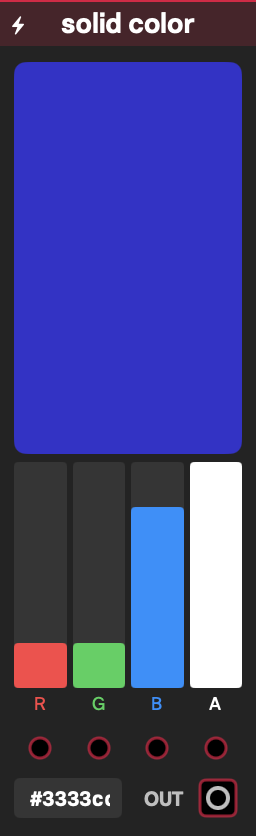
Solid Color faceplate
Sources

Solid Color

Produces a flat color video for backgrounds, masks, and color layers. The color can be set by channels or by the module's six-digit RGB hex field.

Inputs

LabelSignalPurpose
Red, Green, Blue, AlphaFloat/CVModulate the matching color channel.

Outputs

LabelSignalPurpose
OutVideoFull-frame solid color.

Controls

ControlInitial valueRange / step or optionsPurpose
Red, Green0.20–1 / 0.01Red and green channels.
Blue0.80–1 / 0.01Blue channel.
Alpha10–1 / 0.01Opacity.
Hex color#3333ccSix-digit RGBSets Red, Green, and Blue together; Alpha remains separate.

Starting patch

Connect Out to Output, then lower Alpha before compositing it over another source.

Notes

The module renders a compact color frame that the graph can scale efficiently; it is a low-cost source.

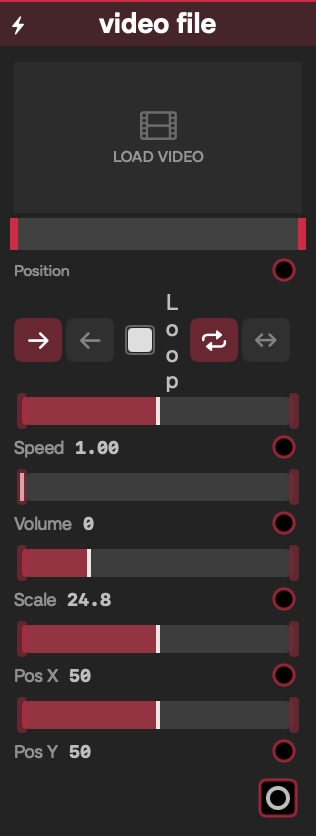
Video File faceplate
Sources

Video File

Plays a local movie, with transport, looping, sound, and framing controls. Choose a file in the module, then trim or scrub it without altering the original media.

Inputs

LabelSignalPurpose
Speed, Position, In, Out, Dir, Loop, Loop Mode, Volume, Scale, Pos X, Pos YFloat/CVDrive the matching playback or framing control. Connected Position CV becomes a normalized frame scrubber between In and Out.

Outputs

LabelSignalPurpose
OutVideoCurrent decoded video frame.

Controls

ControlInitial valueRange / step or optionsPurpose
FileNo videoMOV, MP4/MPEG-4, QuickTime, AVILoads a movie, replacing the current selection.
Speed10–2 / 0.01Playback-rate magnitude; 0 pauses.
Position00–1 / 0.001Scrubs normalized position; a connected CV takes control and seeks rather than free-playing.
In, Out0, 10–1 / 0.001Normalized trim boundaries.
Dir0Forward (0), Backward (1)Selects direction.
Loop1Off (0), On (1)Enables looping.
Loop Mode0Repeat (0), Ping-pong (1)Chooses loop behavior.
Volume00–1 / 0.01AVPlayer audio level; there is no Audio output jack.
Scale10.01–4 / 0.01Zooms the frame.
Pos X, Pos Y0−1–1 / 0.01Offsets the frame.

Starting patch

Load a short MOV, connect Out to an effect and then Output, enable Loop, and try Speed 0.5.

Notes

Media is referenced by file path/security bookmark rather than embedded, so keep the file available when moving a patch. A missing or undecodable file produces black. Default framing aspect-fills and may crop. Reverse playback uses repeated seeks and can be less smooth or more expensive than forward playback.

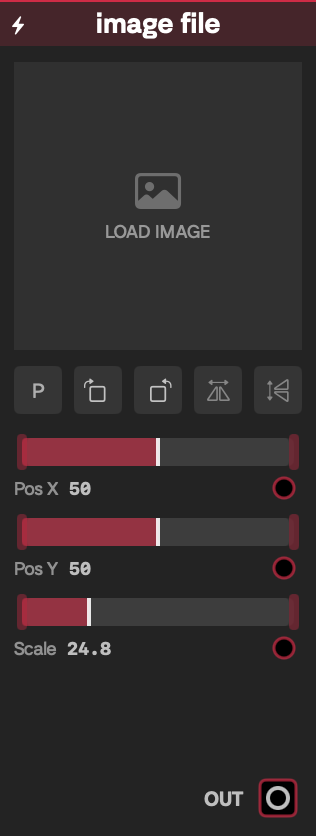
Image File faceplate
Sources

Image File

Loads a still image and presents it as a video with simple position, scale, rotation, and flip tools.

Inputs

LabelSignalPurpose
Pos X, Pos Y, ScaleFloat/CVModulate image placement and zoom.

Outputs

LabelSignalPurpose
OutVideoLoaded and transformed image, or transparent output when cleared.

Controls

ControlInitial valueRange / step or optionsPurpose
ImageNonePNG, JPEG, TIFF, BMP, HEICLoads or clears a still image.
Pos X, Pos Y0−1–1 / 0.01Moves the image.
Scale10.01–4 / 0.01Zooms the image.
Rotate left/right0°0°, 90°, 180°, 270°Rotates in quarter turns.
Flip H, Flip VOffOff, OnMirrors horizontally or vertically.

Starting patch

Load a logo, connect Out to Blend, and use Scale and Pos X/Y to place it over a video.

Notes

The normal save path can embed image data, while the source also retains its file reference. Default framing aspect-fits, leaving transparent letterbox areas. Current source does not serialize the rotate/flip button state in the module's saved extra state; treat those three UI transforms as WIP and verify them after reopening a patch.

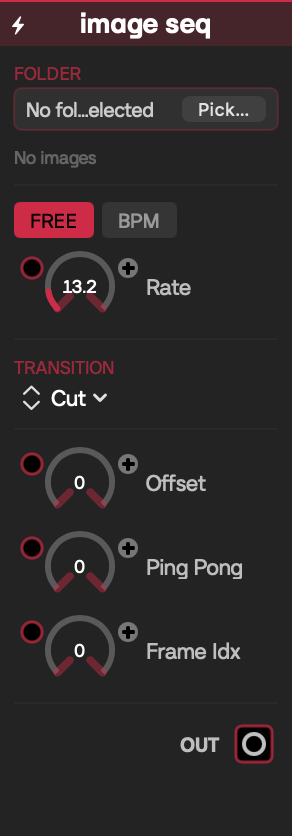
Image Seq faceplate
Sources

Image Seq

Plays a folder of still images as a flipbook, freely timed or locked to patch tempo, with several frame-transition styles.

Inputs

LabelSignalPurpose
Speed Mode, Rate, Beats Div, Transition, Trans Time, Wipe Dir, Offset, Ping Pong, Frame IdxFloat/CVDrive the matching playback control. A connected Frame Idx directly selects a normalized frame and cuts between frames.

Outputs

LabelSignalPurpose
OutVideoCurrent frame or transition result.

Controls

ControlInitial valueRange / step or optionsPurpose
FolderNoneFolder picker; JPG/JPEG, PNG, TIFF/TIF, BMP, GIF, HEICLoads all recognized images in the chosen folder.
Speed ModeFreeFree (0), BPM (1)Selects frames-per-second or beat timing.
Rate80.1–60 / 0.1Frames per second in Free mode.
Beats Div1 beat1/8, 1/4, 1/2, 1, 2, 4, 8, 16Beats per frame in BPM mode.
TransitionCutCut, Dissolve, Flash, Dip Black, Wipe, Noise, Perlin, GlitchChooses the frame change.
Trans Time0.30–1 / 0.01Fraction of each frame interval spent transitioning; unused by Cut.
Wipe Dir→ Right→ Right, ← Left, ↓ Down, ↑ UpDirection used by Wipe.
Offset00–999 / 1Rotates the sequence start index.
Ping PongOffOff, OnReverses at the sequence ends.
Frame Idx00–1 / 0.001Manual normalized selector only while its CV jack is connected.

Starting patch

Choose a numbered frame folder, connect Out to Output, set BPM mode to 1/2, then try Dissolve at 0.25.

Notes

Files are ordered by filename using localized natural sorting, so names such as frame2 precede frame10. The folder is bookmark-referenced, not embedded. Images load asynchronously into GPU memory; very long or high-resolution sequences can consume substantial memory. Output aspect-fills and may crop.

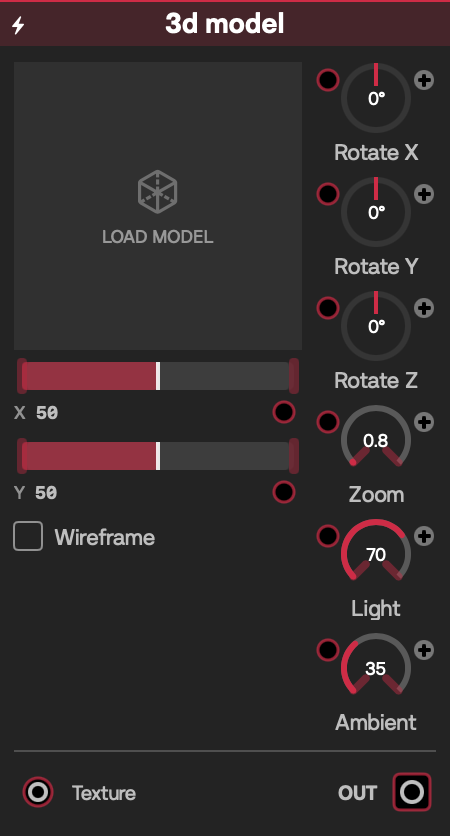
3D Model faceplate
Sources

3D Model

Renders a local 3D scene or model into a video, optionally replacing its diffuse materials with an incoming video.

Inputs

LabelSignalPurpose
TextureVideoOptional replacement video for model materials.
Rotate X, Rotate Y, Rotate Z, Zoom, Position X, Position Y, Light, Ambient, WireframeFloat/CVDrive the matching camera, lighting, or rendering control.

Outputs

LabelSignalPurpose
OutVideoSceneKit-rendered model with transparent background.

Controls

ControlInitial valueRange / step or optionsPurpose
ModelNoneSTL, OBJ, USDZ, USD, DAE, SCN, GLTF, GLBLoads, drag-drops, or clears a model file.
Rotate X, Rotate Y, Rotate Z00–1 turn / 0.01Rotates each axis through 360°.
Zoom0.50.1–50 / 0.01Changes camera scale.
Position X, Position Y0−2–2 / 0.01Moves the model in frame.
Light0.70–1 / 0.01Main-light strength.
Ambient0.350–1 / 0.01Ambient-light strength.
WireframeOffOff (0), On (1)Switches to line rendering.

Starting patch

Load an OBJ, connect a moving Noise video to Texture, connect Out to Output, and slowly modulate Rotate Y.

Notes

The model is stored as a path/security bookmark; companion materials and textures must remain available, normally beside the model. Disconnecting Texture restores original materials. Invalid or empty scenes render transparent and show an error. Complex or high-polygon assets, wireframe mode, and large output sizes increase SceneKit/GPU cost.

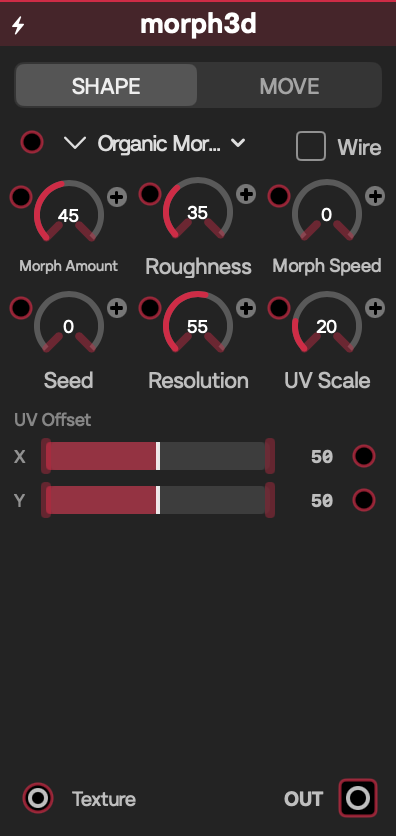
Morph3D faceplate
Sources

Morph3D

Generates a deforming 3D object, with optional incoming video mapping and automatic spin.

Inputs

LabelSignalPurpose
TextureVideoOptional surface video; otherwise the built-in material is used.
Object, Rotate X, Rotate Y, Rotate Z, Zoom, Position X, Position Y, Seed, Resolution, Morph Speed, Morph Amount, Roughness, Spin X, Spin Y, UV Scale, UV Offset X, UV Offset YFloat/CVDrive the matching object, camera, deformation, or UV control.

Outputs

LabelSignalPurpose
OutVideoRendered procedural 3D object.

Controls

ControlInitial valueRange / step or optionsPurpose
ObjectOrganic MorphOrganic Morph, Low-Poly Blob, Irregular ObjectSelects the base mesh family.
Rotate X, Rotate Y, Rotate Z00–1 turn / 0.01Static orientation.
Zoom10.25–4 / 0.01Camera scale.
Position X, Position Y0−2–2 / 0.01Placement.
Seed00–999 / 1Chooses a repeatable variation.
Resolution0.550–1 / 0.01Mesh detail.
Morph Speed00–4 / 0.01Deformation rate.
Morph Amount0.450–1 / 0.01Deformation depth.
Roughness0.350–1 / 0.01Surface irregularity.
Spin X, Spin Y0−2–2 / 0.01Automatic revolutions per second.
UV Scale10.25–4 / 0.01Video tiling.
UV Offset X, UV Offset Y0−1–1 / 0.01Video offset.
WireframeOffOff (0), On (1)Line rendering; intentionally has no CV jack.

Starting patch

Connect Gradient to Texture, set Morph Speed to 0.4, and send Out through Glow to Output.

Notes

Changing Object, Seed, Resolution, Roughness, or Morph Amount regenerates geometry; moving morphs also rebuild it periodically. High Resolution combined with fast morphing is one of the more expensive settings.

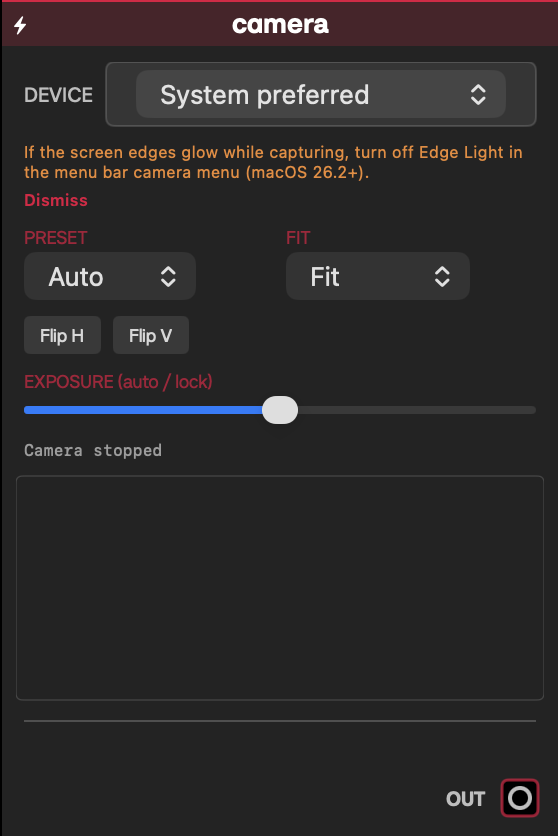
Camera faceplate
Sources

Camera

Captures a built-in or connected camera as a live video. The dedicated view handles macOS permission, device selection, quality, framing, mirroring, and exposure.

Inputs

LabelSignalPurpose
Preset, Fit, Flip H, Flip V, ExposureFloat/CVDrive the matching capture or presentation control.

Outputs

LabelSignalPurpose
OutVideoLatest captured camera frame, or black until one is available.

Controls

ControlInitial valueRange / step or optionsPurpose
DeviceSystem preferredCurrently discovered camerasChooses by device identity; the list refreshes while the module is open.
PresetAutoAuto, 720p, 1080p, MaxRestarts capture at the chosen quality. Auto currently uses the system High preset; Max chooses the largest advertised format.
FitFitFit, Fill, StretchFits with bars, crops to fill, or stretches.
Flip H, Flip VOffOff, OnMirrors either axis.
Exposure0.50–1 / 0.02At 0.5 requests continuous auto exposure; other values request a supported locked exposure and also apply post-capture brightness.

Starting patch

Connect Out to Output, choose your webcam, use Fit for an uncropped view, then add Transform downstream.

Notes

Opening the module requests camera access. If denied, use its Open Privacy Settings action and re-enable Patchframe under macOS Camera privacy. The selected device ID is saved, but disconnected devices fall back to an available camera. 1080p/Max and downstream full-resolution effects cost more GPU and capture bandwidth. Edge Light is a system capability hint on supported macOS versions, not a Patchframe light effect.

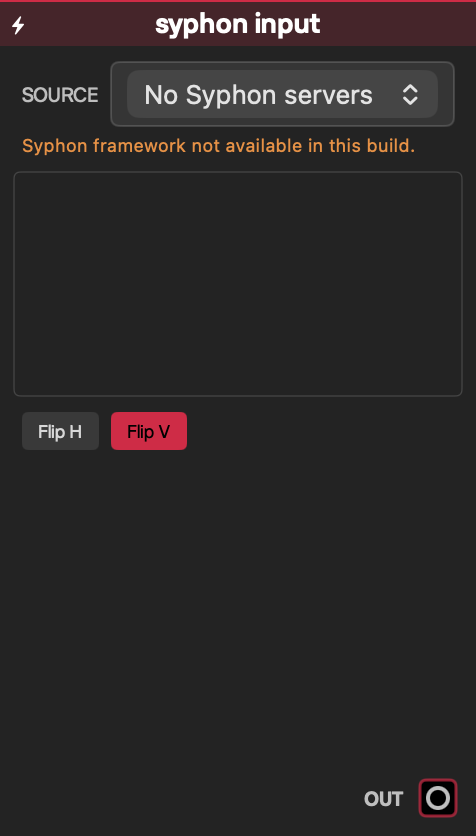
Syphon Input faceplate
Sources

Syphon Input

Receives a video published by another Syphon application on the same Mac, without a network encode/decode step.

Inputs

LabelSignalPurpose
Server, Flip H, Flip VFloat/CVSelect the current server-list index or mirror the incoming frame.

Outputs

LabelSignalPurpose
OutVideoLatest frame from the selected Syphon server, or black when unavailable.

Controls

ControlInitial valueRange / step or optionsPurpose
Source / ServerFirst availableDynamic server list, numeric range 0–64 / 1Selects a currently publishing Syphon server.
Flip HOffOff, OnHorizontal mirror.
Flip VOnOff, OnVertical mirror; on by default for video-coordinate convention.

Starting patch

Start a Syphon sender, select it in the module, then connect Out through Color Adjust to Output.

Notes

The server list is local and refreshes about once per second. Syphon support requires the linked/embedded Syphon framework and a running publisher; the view reports when its bridge is unavailable. Selection is stored as an index, so a reordered server list can point at a different publisher—recheck it after relaunch.

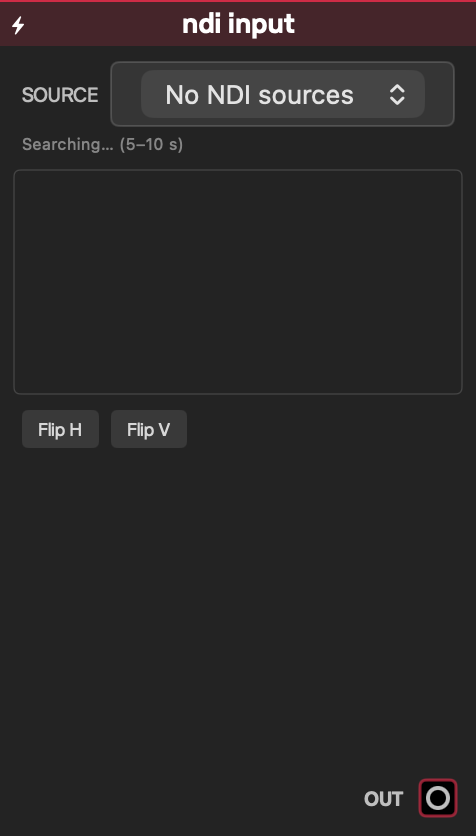
NDI Input faceplate
Sources

NDI Input

Discovers and receives an NDI sender on the network as live video.

Inputs

LabelSignalPurpose
——This module deliberately creates no input/CV jacks.

Outputs

LabelSignalPurpose
OutVideoLatest received NDI video frame, or black while disconnected.

Controls

ControlInitial valueRange / step or optionsPurpose
SourceFirst availableDiscovered NDI sources; CV selection 0–64 / 1Connects to a discovered sender; the preferred source name is saved.
Flip H, Flip VOffOff, OnMirrors the decoded frame.

Starting patch

Put the sender and Mac on the same network, wait for discovery, choose the source, and connect Out to Output.

Notes

Discovery may take 5–10 seconds. NDI requires a compatible NDI runtime/library; Patchframe dynamically loads and compatibility-checks it, and the module explains missing or incompatible installations. Only supported BGRA/BGRX video is converted; there is no NDI audio output. Frames aspect-fill the target and may crop. Network bandwidth, resolution, and sender frame rate affect CPU/GPU load and latency.

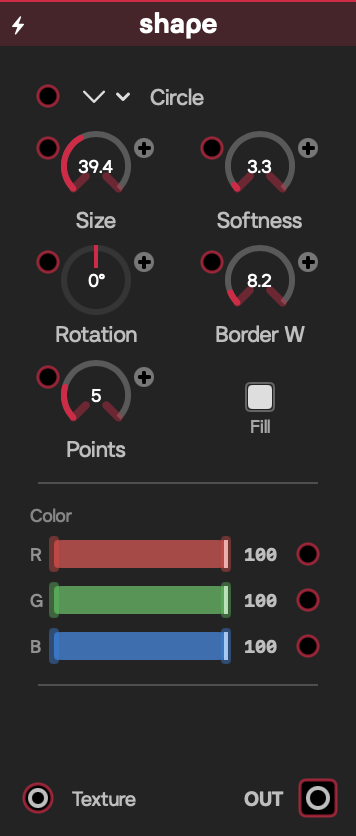
Shape faceplate
Sources

Shape

Draws a colored geometric mask, or reveals an incoming video through that shape.

Inputs

LabelSignalPurpose
TextureVideoOptional fill image; white is used when disconnected.
Shape, Size, Softness, Rotation, Border W, Points, Fill, Red, Green, BlueFloat/CVDrive the matching geometry or color control.

Outputs

LabelSignalPurpose
OutVideoTransparent video containing the shape.

Controls

ControlInitial valueRange / step or optionsPurpose
ShapeCircleCircle, Polygon, Blob, Flower, Star, IrregularChooses geometry; Blob/Irregular choose a new procedural variation when selected.
Size0.40.01–1 / 0.01Overall size.
Softness0.010–0.3 / 0.005Edge feathering.
Rotation0°−180°–180° / 1°Orientation.
Border W0.050.01–0.5 / 0.01Outline width.
Points53–12 / 1Point/side count for applicable shapes.
FillFillFill, OutlineSolid or outlined rendering.
Red, Green, Blue10–1 / 0.01Shape tint.

Starting patch

Connect Video File to Texture, choose Star with 7 points, then composite Out over Solid Color.

Notes

Points and Border W are shape/mode dependent. This is a single-pass GPU generator and normally inexpensive.

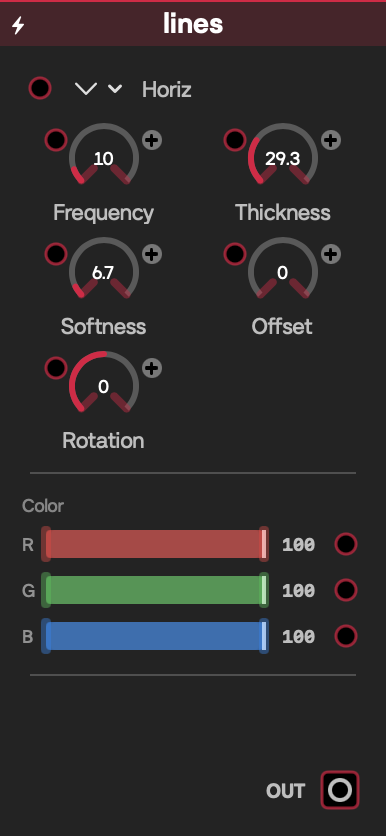
Lines faceplate
Sources

Lines

Generates repeatable line, grid, radial, and ring patterns for backgrounds, masks, or modulation visuals.

Inputs

LabelSignalPurpose
Mode, Frequency, Thickness, Softness, Offset, Rotation, Red, Green, BlueFloat/CVDrive the matching pattern control.

Outputs

LabelSignalPurpose
OutVideoGenerated line pattern.

Controls

ControlInitial valueRange / step or optionsPurpose
ModeHorizHoriz, Vert, Diag, Grid, Radial, ConcentricPattern family.
Frequency101–100 / 1Number/density of repetitions.
Thickness0.30.01–1 / 0.01Line width within each repetition.
Softness0.020–0.3 / 0.005Edge feathering.
Offset00–1 / 0.01Pattern phase.
Rotation0°−180°–180° / 1°Pattern orientation.
Red, Green, Blue10–1 / 0.01Line color.

Starting patch

Choose Grid, connect an LFO to Offset, and use the output as a mask or Blend layer.

Notes

High frequency can alias at small output sizes; add Softness or reduce Frequency. Rendering is a low-cost full-screen shader.

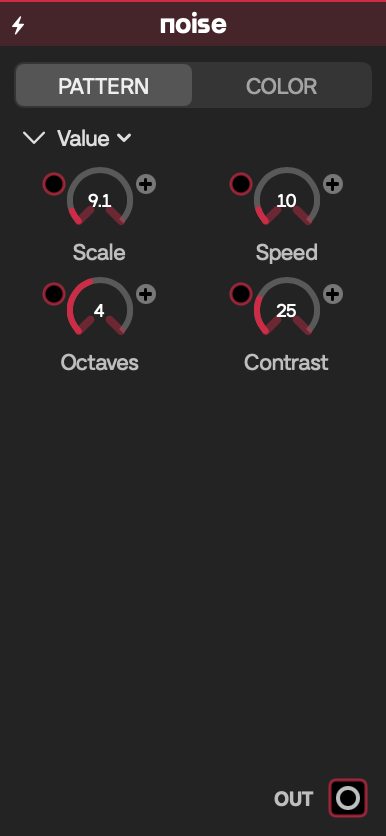
Noise faceplate
Sources

Noise

Creates animated procedural noise ranging from smooth Perlin fields to grain and film-like video, colored between two RGBA endpoints.

Inputs

LabelSignalPurpose
Scale, Speed, Octaves, Contrast, R1, G1, B1, A1, R2, G2, B2, A2Float/CVDrive the matching video or palette control. Type and Seed intentionally have no CV jacks.

Outputs

LabelSignalPurpose
OutVideoProcedural noise video.

Controls

ControlInitial valueRange / step or optionsPurpose
TypeValueValue, Perlin, Grain, Flow, Mono, FilmNoise algorithm.
Scale50.5–50 / 0.5Spatial frequency.
Speed10–10 / 0.1Animation speed.
Octaves41–8 / 1Fractal detail layers.
Contrast10–4 / 0.05Tonal separation.
Seed00–100 / 1Repeatable variation.
R1, G1, B1, A10, 0, 0, 10–1 / 0.01Low-value RGBA color.
R2, G2, B2, A21, 1, 1, 10–1 / 0.01High-value RGBA color.

Starting patch

Choose Perlin, lower Speed to 0.2, and connect Out through Wave or use it as a monochrome mask.

Notes

It animates whenever Speed is above zero. Higher Octaves adds shader work; use fewer octaves for large canvases or stacked generators.

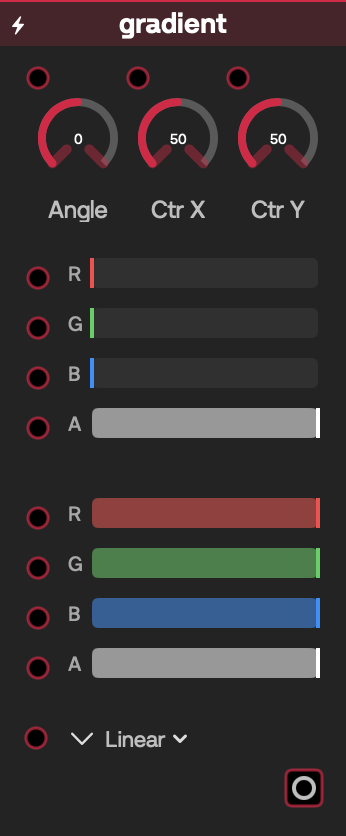
Gradient faceplate
Sources

Gradient

Produces a two-color linear, radial, angular, or diamond gradient with RGBA endpoints.

Inputs

LabelSignalPurpose
Mode, Angle, CenterX, CenterY, R1, G1, B1, A1, R2, G2, B2, A2Float/CVDrive the matching layout or color control.

Outputs

LabelSignalPurpose
OutVideoGenerated gradient.

Controls

ControlInitial valueRange / step or optionsPurpose
ModeLinearLinear, Radial, Angular, DiamondGradient geometry.
Angle0°−180°–180° / 1°Direction/orientation.
CenterX, CenterY0.50–1 / 0.01Center for non-linear modes.
R1, G1, B1, A10, 0, 0, 10–1 / 0.01First RGBA endpoint.
R2, G2, B2, A21, 1, 1, 10–1 / 0.01Second RGBA endpoint.

Starting patch

Choose Radial, move Center X/Y, and use Out as the Palette input of Radiant Pack.

Notes

Angle has its clearest effect in Linear and Angular modes. This is a low-cost single-pass generator.

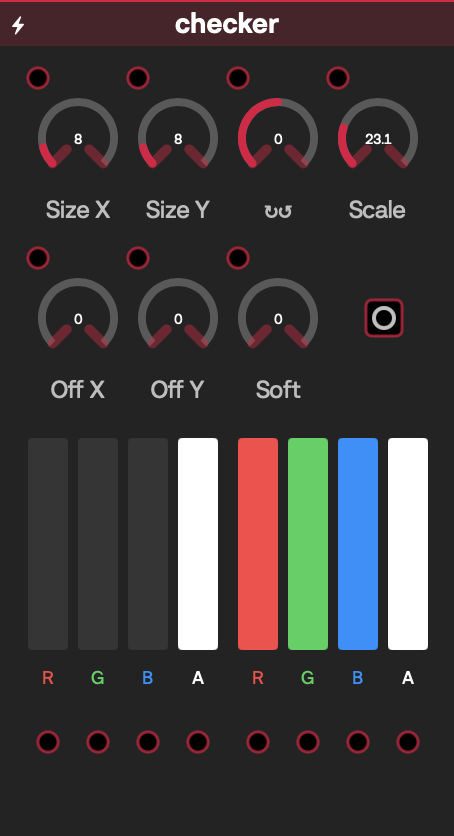
Checker faceplate
Sources

Checker

Generates a two-color checker pattern with independent X/Y density, transform, and soft edges.

Inputs

LabelSignalPurpose
Size X, Size Y, Rotation, Scale, OffsetX, OffsetY, Soft, R1, G1, B1, A1, R2, G2, B2, A2Float/CVDrive the matching pattern or color control.

Outputs

LabelSignalPurpose
OutVideoChecker video.

Controls

ControlInitial valueRange / step or optionsPurpose
Size X, Size Y81–64 / 1Horizontal and vertical cell counts.
Rotation0°−180°–180° / 1°Pattern rotation.
Scale10.1–4 / 0.01Overall zoom.
OffsetX, OffsetY00–1 / 0.01Pattern phase.
Soft00–0.5 / 0.01Edge feathering.
R1, G1, B1, A10, 0, 0, 10–1 / 0.01First tile RGBA.
R2, G2, B2, A21, 1, 1, 10–1 / 0.01Second tile RGBA.

Starting patch

Set unequal Size X/Y, rotate 20°, then connect an LFO to Offset X for scrolling tiles.

Notes

Very small, hard-edged tiles can alias; raise Soft or lower the cell counts. Rendering is inexpensive.

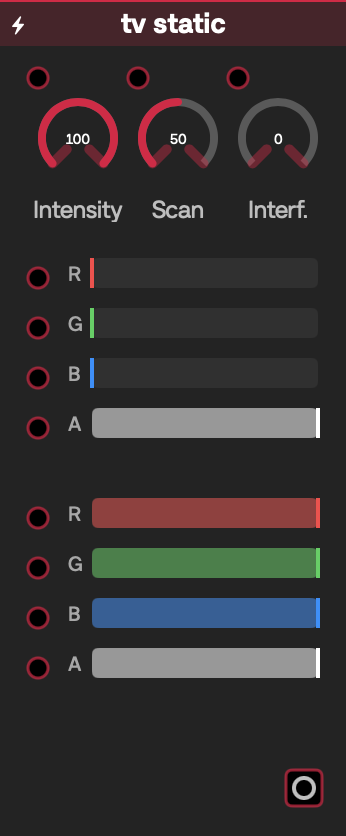
TV Static faceplate
Sources

TV Static

Creates animated television snow with scanline and interference layers, mapped between two colors.

Inputs

LabelSignalPurpose
Intensity, Scanlines, Interference, R1, G1, B1, A1, R2, G2, B2, A2Float/CVDrive the matching static or palette control.

Outputs

LabelSignalPurpose
OutVideoAnimated static video.

Controls

ControlInitial valueRange / step or optionsPurpose
Intensity10–1 / 0.01Snow strength.
Scanlines0.50–1 / 0.01Horizontal line contribution.
Interference00–1 / 0.01Broad interference bands.
R1, G1, B1, A10, 0, 0, 10–1 / 0.01Dark/static-low RGBA.
R2, G2, B2, A21, 1, 1, 10–1 / 0.01Bright/static-high RGBA.

Starting patch

Lower Intensity, raise Interference, and Screen-blend the result over Video File.

Notes

The shader advances with patch time, so the image continually changes even when controls are still.

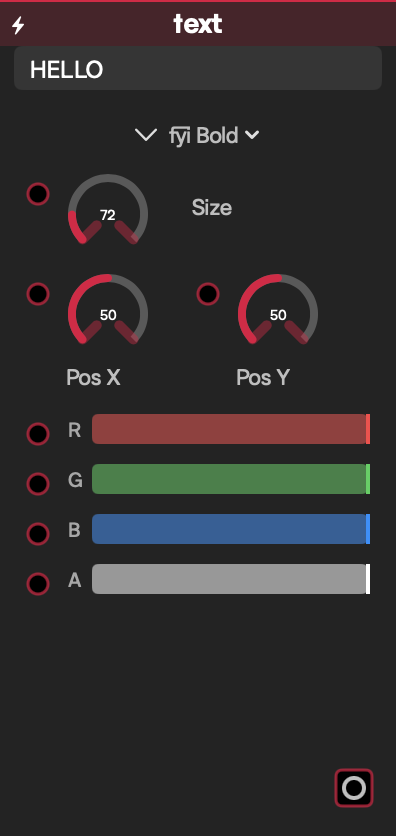
Text faceplate
Sources

Text

Rasterizes editable text into a transparent video with font, size, position, and RGBA color controls.

Inputs

LabelSignalPurpose
Font, Size, PosX, PosY, R, G, B, AFloat/CVDrive the matching typography or color control.

Outputs

LabelSignalPurpose
OutVideoRasterized text over transparency.

Controls

ControlInitial valueRange / step or optionsPurpose
TextHELLOFree textContent to draw.
Fontfyi Boldfyi Bold, Pakatel In Regular, 007 Grotesk RegularSelects a bundled face; the system font is a fallback if unavailable.
Size728–400 / 1Font size.
PosX, PosY0.50–1 / 0.01Normalized placement.
R, G, B, A10–1 / 0.01Text RGBA.

Starting patch

Enter a short title, set Alpha below 1, and Blend Out over a camera feed.

Notes

Unicode text is accepted, subject to font coverage. Unchanged text is cached; changing text, face, size, position, or color rerasterizes and uploads the full output, so rapid modulation—especially at large resolutions—can cost CPU/GPU time.

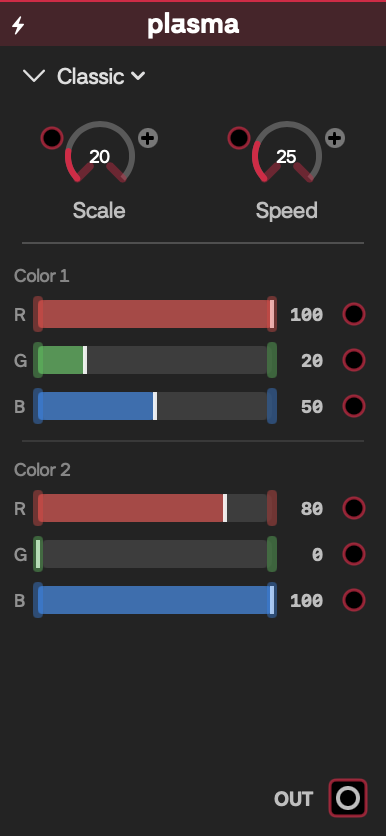
Plasma faceplate
Sources

Plasma

Generates a flowing two-color plasma field in classic, marble, or nebula styles.

Inputs

LabelSignalPurpose
Scale, Speed, R1, G1, B1, R2, G2, B2Float/CVDrive the matching motion or color control. Type intentionally has no CV jack.

Outputs

LabelSignalPurpose
OutVideoAnimated plasma video.

Controls

ControlInitial valueRange / step or optionsPurpose
TypeClassicClassic, Marble, NebulaField algorithm.
Scale41–16 / 0.5Spatial frequency.
Speed10–4 / 0.1Animation speed.
R1, G1, B11, 0.2, 0.50–1 / 0.01First color.
R2, G2, B20.8, 0, 10–1 / 0.01Second color.

Starting patch

Choose Nebula, set Speed to 0.25, and run Out through Mirror/Kaleido.

Notes

Speed 0 freezes temporal motion. It is a continuously evaluated full-screen GPU shader.

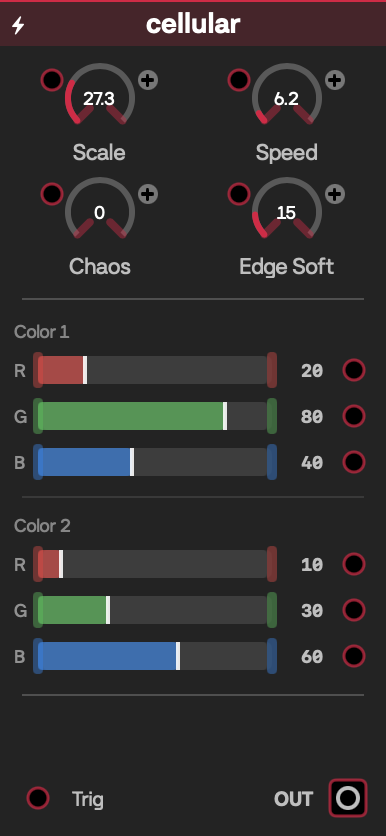
Cellular faceplate
Sources

Cellular

Builds an animated cellular field whose pattern can evolve automatically or jump to a new mutation on a trigger.

Inputs

LabelSignalPurpose
TrigFloat/CV triggerA rising crossing above 0.5 advances the mutation.
Scale, Speed, Chaos, Edge Soft, R1, G1, B1, R2, G2, B2Float/CVDrive the matching field or palette control.

Outputs

LabelSignalPurpose
OutVideoCellular video.

Controls

ControlInitial valueRange / step or optionsPurpose
Scale82–24 / 0.5Cell density.
Speed0.50–8 / 0.01Automatic motion rate.
Chaos00–1 / 0.01Irregularity/mutation strength.
Edge Soft0.150–1 / 0.01Cell-edge feathering.
R1, G1, B10.2, 0.8, 0.40–1 / 0.01First color.
R2, G2, B20.1, 0.3, 0.60–1 / 0.01Second color.

Starting patch

Connect a Step Sequencer pulse to Trig, set Chaos to 0.4, and send Out through Edge Detect.

Notes

With Trig connected, rising edges provide explicit mutation changes; without it, Speed/Chaos and patch time animate the field. The trigger is edge-based, not a continuous intensity input.

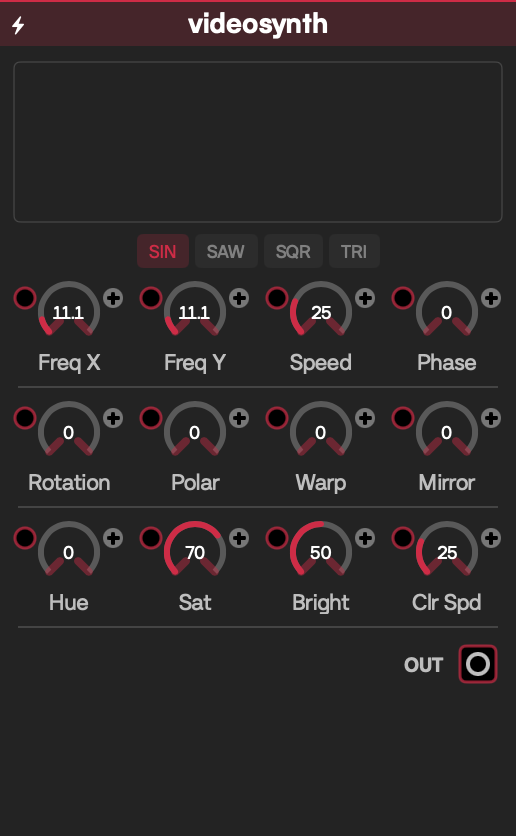
VideoSynth faceplate
Sources

VideoSynth

Generates an oscillator-based video-synth field with waveform, warp, symmetry, and color animation.

Inputs

LabelSignalPurpose
Waveform, Freq X, Freq Y, Speed, Phase, Rotation, Polar, Warp, Mirror, Hue, Sat, Bright, Clr SpdFloat/CVDrive the matching synthesis control.

Outputs

LabelSignalPurpose
OutVideoGenerated video-synth video.

Controls

ControlInitial valueRange / step or optionsPurpose
WaveformSINSIN, SAW, SQR, TRIBase oscillator shape.
Freq X, Freq Y40.5–32 / 0.5Horizontal and vertical frequency.
Speed10–4 / 0.1Motion rate.
Phase00–6.28 / 0.1Oscillator phase.
Rotation00–6.28 / 0.1Field rotation in radians.
Polar, Warp00–1 / 0.01Polar remapping and spatial distortion.
Mirror00–16 / 1Symmetry segments.
Hue00–1 / 0.01Palette rotation.
Sat0.70–1 / 0.01Saturation.
Bright0.50–1 / 0.01Brightness.
Clr Spd0.50–2 / 0.1Independent color-cycle rate.

Starting patch

Choose TRI, set Mirror to 6, add some Warp, and connect an LFO to Hue.

Notes

Speed and Clr Spd can animate independently. This is a continuous full-screen GPU generator; layered high-resolution copies add proportional cost.

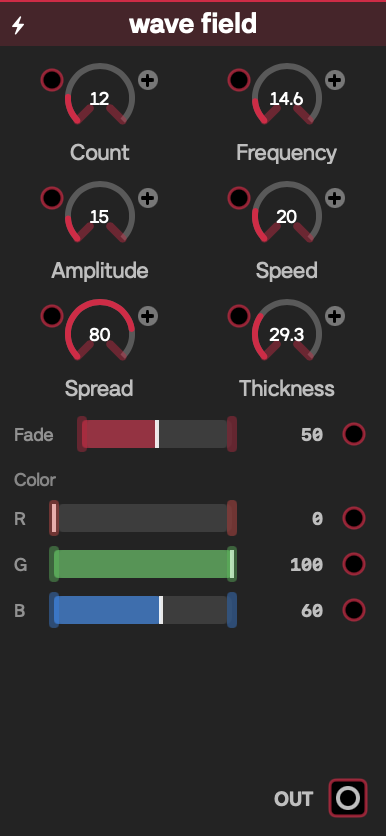
Wave Field faceplate
Sources

Wave Field

Draws an animated field of repeated colored waves with controllable count, spread, fade, and line character.

Inputs

LabelSignalPurpose
Count, Frequency, Amplitude, Speed, Spread, Fade, Thickness, Red, Green, BlueFloat/CVDrive the matching wave or color control.

Outputs

LabelSignalPurpose
OutVideoAnimated wave field.

Controls

ControlInitial valueRange / step or optionsPurpose
Count121–64 / 1Number of waves.
Frequency30.1–20 / 0.1Wave frequency.
Amplitude0.150–1 / 0.01Wave height.
Speed10–5 / 0.1Animation speed.
Spread0.80–1 / 0.01Distance across the field.
Fade0.50–1 / 0.01Depth/edge falloff.
Thickness0.30.01–1 / 0.01Line width.
Red, Green, Blue0, 1, 0.60–1 / 0.01Wave color.

Starting patch

Lower Speed, set Count to 20, and feed Out to Feedback for trailing wave motion.

Notes

The shader repeats work for Count; 64 waves at large output sizes is substantially heavier than the default.

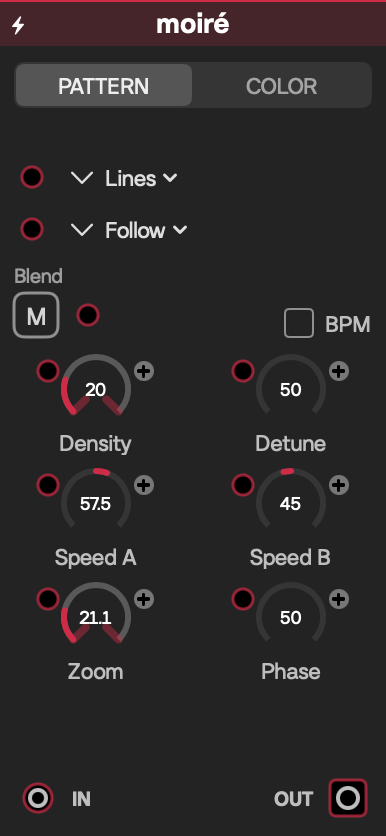
Moiré faceplate
Sources

Moiré

Interferes two animated line/ring fields and can combine the result with an incoming video for dense optical patterns.

Inputs

LabelSignalPurpose
InVideoOptional image used by the composite; a white fallback is used when disconnected.
Mode, Density, Speed A, Speed B, Zoom, Center X, Center Y, Red, Green, Blue, Detune, Mode B, Contrast, Mix, Phase, Blend, Red 2, Green 2, Blue 2, Offset X, Offset YFloat/CVDrive the matching field, color, or composition control. BPM Sync has no CV jack.

Outputs

LabelSignalPurpose
OutVideoInterference/composite video.

Controls

ControlInitial valueRange / step or optionsPurpose
ModeLinesLines, Concentric, RadialFirst field.
Density202–80 / 1Pattern frequency.
Speed A, Speed B0.3, −0.2−2–2 / 0.05Independent field motion.
Zoom10.2–4 / 0.1Pattern scale.
Center X, Center Y0−1–1 / 0.01First field center.
Red, Green, Blue0, 0.9, 10–1 / 0.01First color.
Detune0−0.5–0.5 / 0.01Separates the field frequencies.
Mode BFollowFollow, Lines, Concentric, RadialSecond field or follow first.
Contrast, Mix10–1 / 0.01Pattern contrast and composite amount.
Phase0−1–1 / 0.01Relative phase.
BPM SyncOffOff, OnUses patch beat as the clock instead of seconds.
BlendMultiplyNormal, Add, Screen, Multiply, Overlay, DiffCombination operation.
Red 2, Green 2, Blue 20, 0.9, 10–1 / 0.01Second color.
Offset X, Offset Y0−1–1 / 0.01Second field offset.

Starting patch

Connect Camera to In, set Mode B to Concentric, add slight Detune, and lower Mix.

Notes

BPM Sync follows Patchframe's beat clock; otherwise the two signed speeds use elapsed time. High Density produces fine detail that may alias, so reduce it or soften downstream.

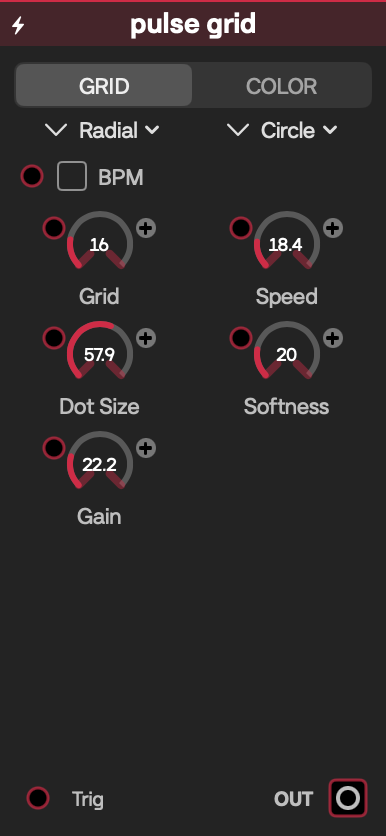
Pulse Grid faceplate
Sources

Pulse Grid

Emits expanding pulses across a dot grid, running freely, on the patch beat, or from an external trigger.

Inputs

LabelSignalPurpose
TrigFloat/CV triggerRising crossing above 0.95 starts a pulse and takes trigger timing control.
Grid, Speed, BPM Sync, Beats, Dot Size, Softness, Gain, R1, G1, B1, R2, G2, B2Float/CVDrive matching controls. Wave and Shape intentionally have no CV jacks.

Outputs

LabelSignalPurpose
OutVideoAnimated pulse-grid video.

Controls

ControlInitial valueRange / step or optionsPurpose
Grid164–64 / 1Dot-grid density.
Speed10.1–5 / 0.1Free-running timing/motion rate.
BPM SyncOffOff, OnLocks automatic pulses to patch beat.
Beats1 beat1/32, 1/16, 1/8, 1/4, 1/2, 1, 2, 4, 8, 16, 32Beat interval.
WaveRadialRadial, Box, Vertical, Horizontal, ScatterPulse travel pattern.
Dot Size0.60.05–1 / 0.01Dot size.
ShapeCircleCircle, Square, DiamondDot geometry.
Softness0.10–0.5 / 0.01Dot-edge feathering.
Gain1.50.5–5 / 0.1Pulse brightness.
R1, G1, B11, 0.3, 00–1 / 0.01Pulse color.
R2, G2, B20, 0.1, 0.30–1 / 0.01Background color.

Starting patch

Connect a quarter-note pulse to Trig, choose Scatter, and send Out through Glow.

Notes

A connected trigger overrides automatic firing; disconnect it to use free/BPM timing. Trigger level must fall below the threshold before another rising edge can fire.

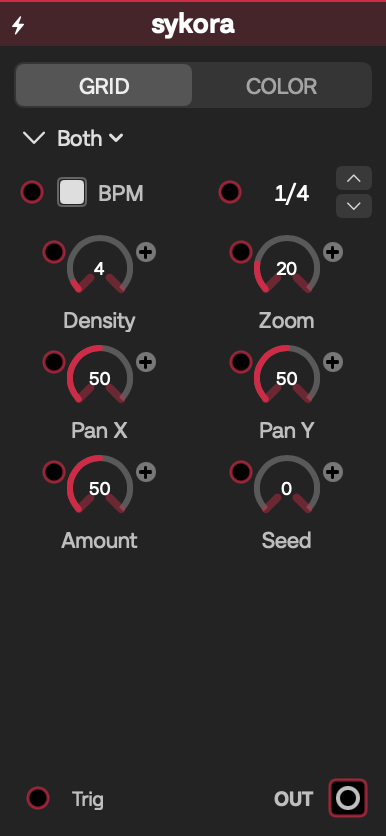
Sykora faceplate
Sources

Sykora

Produces an infinite grid of solid and diagonally split tiles that rotates, reshuffles, or does both on each event.

Reference

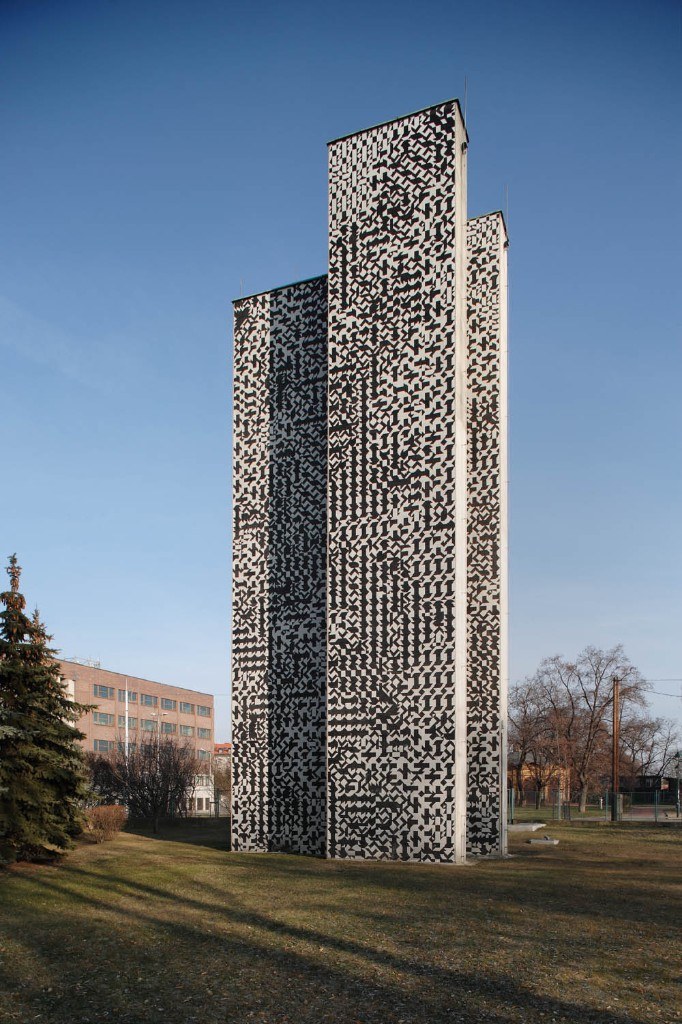
Sykora refers to the work of Czech constructivist Zdeněk Sýkora (1920–2011), especially his 1969 geometric cladding on the tunnel ventilation towers in Prague.

Zdeněk Sýkora, tunnel ventilation towers, Prague, 1969

Inputs

LabelSignalPurpose
TrigFloat/CV triggerRising crossing above 0.5 advances the selected Action.
Density, Zoom, Pan X, Pan Y, BPM Sync, Beats, Amount, Action, Seed, R1, G1, B1, R2, G2, B2Float/CVDrive the matching grid, timing, event, or color control.

Outputs

LabelSignalPurpose
OutVideoAnimated Sykora pattern.

Controls

ControlInitial valueRange / step or optionsPurpose
Density41–48 / 1Grid cells per unit.
Zoom10.25–4 / 0.01Pattern zoom.
Pan X, Pan Y0−1–1 / 0.01Pattern translation.
BPM SyncOnOff, OnUses patch beat for automatic events.
Beats1/4×32, ×16, ×8, ×1, 1/2, 1/4, 1/8, 1/16, 1/32, 1/64, 1/128Event interval shown by the dedicated view.
Amount0.50–1 / 0.01Fraction of tiles changed by an event.
ActionBothRotate, Reshuffle, BothWhat an event changes.
Seed00–1,000 / 1Repeatable grid variation.
R1, G1, B100–1 / 0.01First tile color.
R2, G2, B210–1 / 0.01Second tile color.

Starting patch

Keep BPM Sync and Action on Both, set Amount near 0.2, and connect Out to Feedback for rhythmic pattern trails.

Notes

With Trig connected, rising edges override automatic events. Without it, BPM Sync uses the selected beat interval; free mode advances every 0.5 seconds. The multiplier/fraction labels above are the current UI labels and are intentionally reported verbatim.

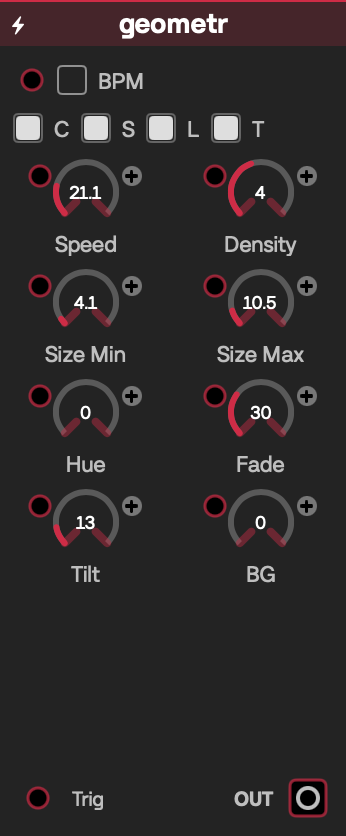
Geometr faceplate
Sources

Geometr

Spawns and fades layers of circles, squares, lines, and triangles in response to free, beat, or trigger timing.

Inputs

LabelSignalPurpose
TrigFloat/CV triggerRising crossing above 0.95 spawns an event.
Speed, BPM Sync, Beats, Density, Size Min, Size Max, Hue, Fade, Tilt, BGFloat/CVDrive timing and appearance. Shape toggles intentionally have no CV jacks.

Outputs

LabelSignalPurpose
OutVideoLayered geometric composition.

Controls

ControlInitial valueRange / step or optionsPurpose
Speed10.2–4 / 0.1Free-running event rate.
BPM SyncOffOff, OnLocks events to patch beat.
Beats1 beat1/32, 1/16, 1/8, 1/4, 1/2, 1, 2, 4, 8, 16, 32Beat interval.
Density41–8 / 1Shapes created per event.
Size Min0.030.01–0.5 / 0.01Minimum random shape size.
Size Max0.150.05–1 / 0.01Maximum random shape size.
Hue00–1 / 0.01Palette offset.
Fade30–10 / 0.1Shape lifetime in seconds; 0 disables fading.
Tilt0.1250–1 / 0.01Canvas tilt; 0.125 corresponds to 45°.
BG00–0.5 / 0.01Background alpha/level.
Circle, Square, Line, TriangleOnOff, OnEnables each shape family.

Starting patch

Use BPM Sync at 1/2 beat, disable two shape families, and raise Fade for overlapping layers.

Notes

A connected trigger overrides free/BPM spawning. Turning every shape family off prevents new visible shapes. At most 512 shapes remain live; high Density plus long Fade reaches that cap and costs more GPU work.

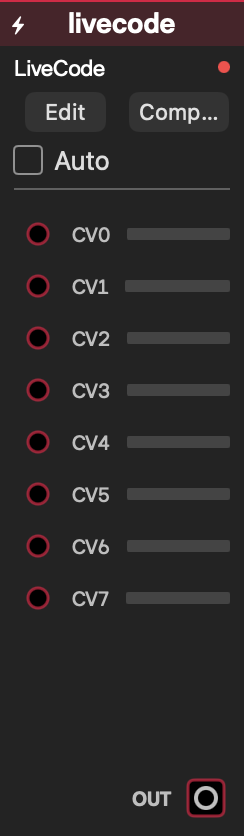
LiveCode faceplate
Sources

LiveCode

Compiles a user-written Metal mainImage function into a live video generator with eight general CV values.

LiveCode shader manual

Inputs

LabelSignalPurpose
CV0 … CV7Float/CVSupplies u.cv[0] … u.cv[7] inside mainImage.

Outputs

LabelSignalPurpose
OutVideoResult of the last successfully compiled shader, or black before the first successful compile.

Controls

ControlInitial valueRange / step or optionsPurpose
EditClosedOpen editorOpens the floating shader editor.
CodeBuilt-in sine exampleMetal source defining float3 mainImage(float2 uv, constant Uniforms &u)Edits the generator using u.time, u.resolution, and eight CV values.
Compile—ActionCompiles asynchronously and displays success or the compiler error.
AutoOffOff, OnDebounces edits and compiles automatically.
Snippet libraryNo active snippetBundled and user snippets; load, save, adjust, deleteReuses shader examples and personal snippets.
AssistClosedPrompt-driven Claude draft/adjustmentOptional external shader-writing assistant; requires its configured API credential and network service.

Starting patch

Connect an LFO to CV0, open Edit, compile the default shader, then change its color expression while the output is visible.

Notes

See the LiveCode shader manual for shader structure, Uniforms, UV coordinates, recipes, and common errors. LiveCode always has exactly eight fixed CV ports; editing code does not rebuild the port list. Only CV references inside mainImage are supported by the documented wrapper. A failed compile keeps the previous successful output, marks the editor red, and reports the error; if no compile has succeeded, output is black. Shader cost and safety depend on the code—large loops or expensive per-pixel math can stall the GPU.

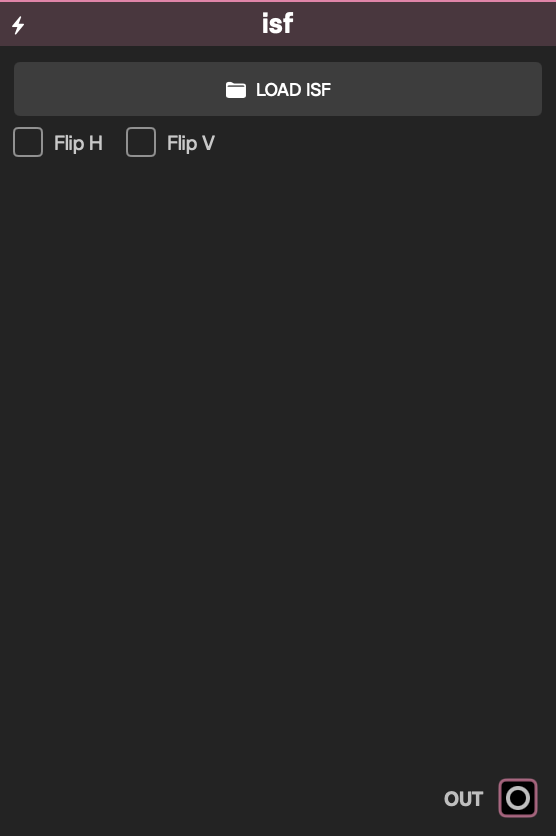
ISF faceplate
Sources

ISF

Loads an Interactive Shader Format file and builds its ports and controls from the shader's JSON metadata at runtime.

Inputs

ISF metadata typeRuntime signalPorts created
float, bool, long, eventFloat/CVOne port using the metadata input name. Events are passed as numeric uniforms; Patchframe does not add an automatic one-frame reset.
point2DFloat/CV<name>.X, <name>.Y.
colorFloat/CV<name>.R, <name>.G, <name>.B, <name>.A.
image, audio, audioFFTVideoOne video port using the metadata input name; these are ISF video inputs, not Patchframe Audio signals.

Outputs

LabelSignalPurpose
OutVideoRendered ISF result.

Controls

ControlInitial valueRange / step or optionsPurpose
Shader fileNone.fs, .isf, .frag, .glslLoads an ISF shader, replacing the current selection.
Generated floatMetadata default, otherwise minimumMetadata MIN–MAX, defaults 0–1 / 0.01Numeric shader uniform.
Generated boolMetadata default, otherwise OffOff, OnBoolean shader uniform.
Generated longMetadata default, otherwise 00 to VALUES.count−1, or 0–3 / 1Integer uniform; current UI exposes the numeric value rather than metadata labels.
Generated event00–1 / 1Event-valued uniform controlled by its input/control.
Generated point2DMetadata default, otherwise 0.5/0.5Metadata ranges, otherwise 0–1 / 0.01Two coordinate controls.
Generated colorMetadata default, otherwise 1/1/1/10–1 / 0.01Four RGBA controls.
Flip H, Flip VOffOff, OnMirrors final output; these fixed controls have no CV jacks.

Starting patch

Load an ISF generator, inspect the newly created controls, connect an LFO to one generated Float/CV jack, and route Out to Output.

Notes

Port names, counts, defaults, and ranges are shader-defined and can only be known after parsing. The file is path/bookmark-referenced. Compilation runs off the main thread; parse/compile errors remain visible and do not invent substitute controls. Multi-pass shaders are supported. Imported image resources are resolved relative to the shader file and must remain accessible. High pass counts, loops, or video inputs can be GPU-heavy.

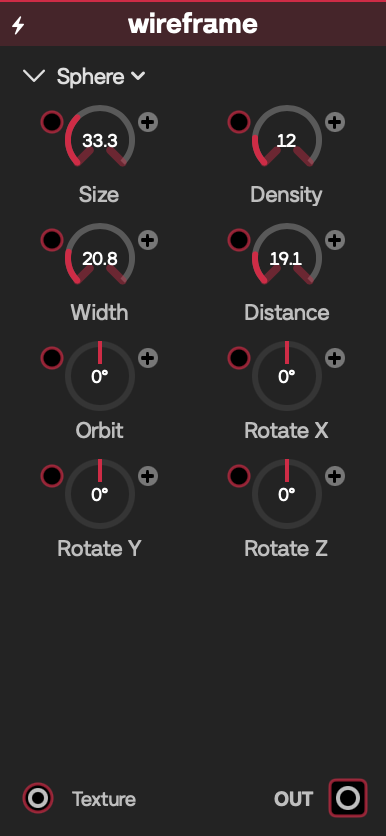
Wireframe faceplate
Sources

Wireframe

Renders a rotating analytic sphere, cube, cylinder, or torus as a wire-style video, optionally using an incoming video on the surface.

Inputs

LabelSignalPurpose
TextureVideoOptional surface image.
Size, Rotate X, Rotate Y, Rotate Z, Line density, Line width, Camera dist, Camera orbit, Torus major, Torus minor, Cylinder H, Box edgeFloat/CVDrive matching geometry or camera controls. Shape intentionally has no CV jack.

Outputs

LabelSignalPurpose
OutVideoRendered wire object.

Controls

ControlInitial valueRange / step or optionsPurpose
ShapeSphereSphere, Cube, Cylinder, DonutObject family.
Size0.40.1–1 / 0.01Object scale.
Rotate X, Rotate Y, Rotate Z00–1 turn / 0.01Object orientation.
Line density124–48 / 1Wire/grid density.
Line width0.0120.002–0.05 / 0.002Stroke thickness.
Camera dist2.51.2–8 / 0.1Viewing distance.
Camera orbit00–1 turn / 0.01Camera rotation around the object.
Torus major, Torus minor0.35, 0.150.1–0.6 / 0.01; 0.03–0.35 / 0.01Donut radii.
Cylinder H0.50.2–1 / 0.01Cylinder height.
Box edge0.040.01–0.15 / 0.005Cube edge treatment.

Starting patch

Choose Donut, connect Gradient to Texture, modulate Camera orbit, and connect Out to Output.

Notes

Torus, cylinder, and box controls only affect their matching shapes. Dense, thin lines can alias. This analytic full-screen renderer evaluates object intersections per pixel, so high resolutions are more expensive.

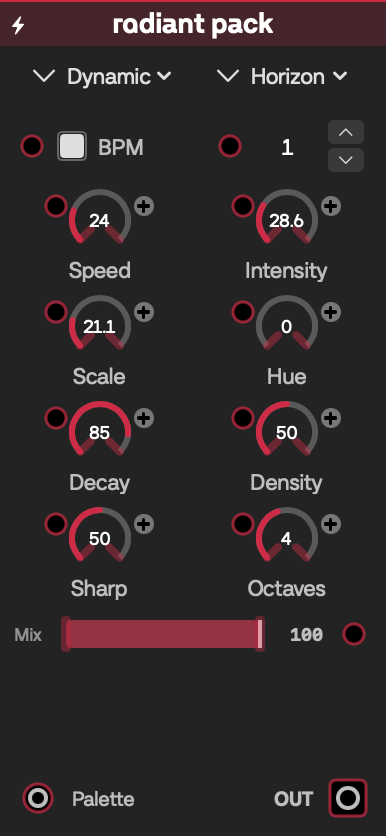
Radiant Pack faceplate
Sources

Radiant Pack

Collects 21 performance-oriented procedural looks behind a shared palette, tempo, motion, and intensity interface.

Inputs

LabelSignalPurpose
PaletteVideoOptional color source mixed into supported looks.
BPM Sync, Beats, Speed, Intensity, Scale, Hue, Decay, Density, Sharp, Octaves, Palette MixFloat/CVDrive matching shared controls. Preset intentionally has no CV jack.

Outputs

LabelSignalPurpose
OutVideoSelected Radiant look.

Controls

ControlInitial valueRange / step or optionsPurpose
Type / PresetDynamic / HorizonDynamic: Horizon, Eclipse, Voltage, Vertigo, Thunder, Laser, Kinetic, Feedback; Geometric: Tesseract, Caustics, Kaleido, Clockwork, Chladni, Sacred, Precision; Organic: Gilt, Stardust, Fluid, Ink, Murmur, ChaosTwo menus select one of the 21 presets.
BPM SyncOnOff, OnUses patch tempo.
Beats1 beat1/32, 1/16, 1/8, 1/4, 1/2, 1, 2, 4, 8, 16, 32Beat interval.
Speed10.05–4 / 0.05Motion rate.
Intensity10.2–3 / 0.05Look strength/brightness.
Scale10.2–4 / 0.05Spatial scale.
Hue00–1 / 0.01Palette rotation.
Decay0.850–1 / 0.01Persistence for applicable looks.
Density, Sharp0.50–1 / 0.01Element density and edge sharpness.
Octaves41–8 / 1Detail layers for applicable organic looks.
Palette Mix10–1 / 0.01Incoming Palette influence.

Starting patch

Connect Gradient to Palette, select Organic → Fluid, leave BPM Sync on, and lower Palette Mix to blend the two color systems.

Notes

Presets use different rendering engines, so shared controls can have look-specific meaning and some are intentionally inactive in some presets. Preset changes clear persistent state. Feedback/flow looks, high Octaves/Density, and long Decay can be GPU-heavy; geometric presets keep at most 512 live shapes.

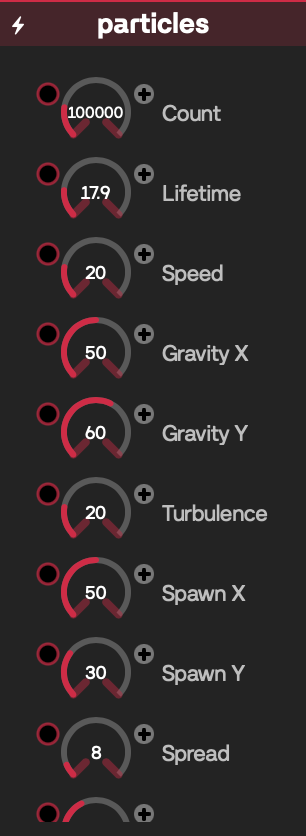
Particles faceplate
Sources

Particles

Simulates up to 500,000 GPU particles with gravity, turbulence, trails, and optional audio-reactive motion/brightness.

Inputs

LabelSignalPurpose
AudioAudioOptional analysis source. When absent, Audio React uses the engine's global audio RMS.
Count, Lifetime, Speed, Gravity X, Gravity Y, Turbulence, Spawn X, Spawn Y, Spread, R, G, B, Brightness, Audio ReactFloat/CVDrive matching simulation, color, or reactivity controls.

Outputs

LabelSignalPurpose
OutVideoParticle rendering with accumulated trails.

Controls

ControlInitial valueRange / step or optionsPurpose
Count100,0001,000–500,000 / 1,000Active particle count.
Lifetime40.5–20 / 0.1Particle lifespan.
Speed10–5 / 0.05Initial/motion speed.
Gravity X, Gravity Y0, 1−5–5 / 0.1Acceleration.
Turbulence10–5 / 0.1Procedural force strength.
Spawn X, Spawn Y0.5, 0.30–1 / 0.01Normalized emitter position.
Spread0.080–1 / 0.01Emitter width.
R, G, B0.4, 0.2, 10–1 / 0.01Particle color.
Brightness10–5 / 0.05Render intensity.
Audio React0.50–1 / 0.01RMS influence on the simulation.

Starting patch

Connect Audio Follow's Audio output to Audio, begin around 50,000 particles, and raise Audio React while music plays.

Notes

This is among the heaviest source modules: it uses GPU simulation, rendering, and full-resolution accumulation/trail buffers. Raising Count can reallocate/reinitialize particle storage. Lower Count and patch resolution first when frames drop. The connected Audio jack takes priority; the global audio level is the fallback.

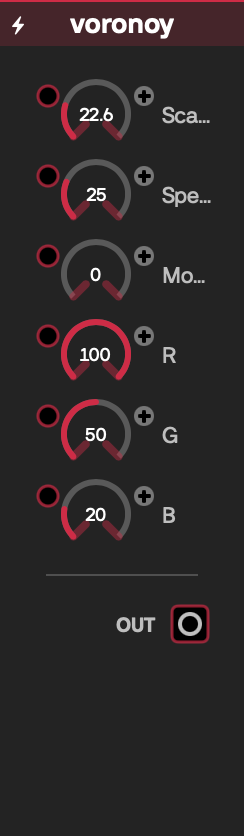
Voronoi faceplate
Sources

Voronoi

Generates an animated Voronoi/cellular field in colorful, edge, or filled-cell form.

Inputs

LabelSignalPurpose
Scale, Speed, Mode, R, G, BFloat/CVDrive matching field and color controls.

Outputs

LabelSignalPurpose
OutVideoAnimated Voronoi video.

Controls

ControlInitial valueRange / step or optionsPurpose
Scale81–32 / 0.5Cell density.
Speed0.50–2 / 0.01Animation speed.
ModeColorfulColorful (0), Edges (1), Cells (2)Rendering style.
R, G, B1, 0.5, 0.20–1 / 0.01Base tint.

Starting patch

Choose Edges, set Speed near 0.15, and use Out to displace an Image File.

Notes

Speed 0 freezes motion. Mode currently appears through the generic numeric control rather than a dedicated named menu, but the shader's three meanings are shown above.

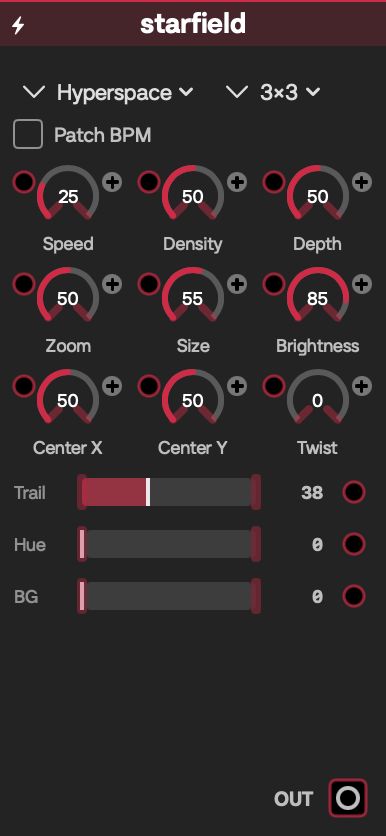
Starfield faceplate
Sources

Starfield

Creates a layered star-flight field in Stars, Hyperspace, or Warp styles, with trails, scan quality, color, and tempo-aware speed.

Inputs

LabelSignalPurpose
Speed, Density, Scan, Depth, Trail, Trail Wid, Layer Var, Size, Brightness, R, G, B, Center X, Center Y, Twist, Hue, Zoom, BG AlphaFloat/CVDrive matching field controls. Scan keeps a CV jack for saved-patch compatibility. Look and Patch BPM have no CV jacks.

Outputs

LabelSignalPurpose
OutVideoAnimated starfield.

Controls

ControlInitial valueRange / step or optionsPurpose
LookHyperspaceStars, Hyperspace, WarpFlight style.
Speed0.250–1 / 0.01Flight rate.
Density0.50–1 / 0.01Star population.
Scan3×31×1, 3×3, 5×5Per-pixel neighborhood quality/work.
Depth0.50–1 / 0.01Depth range.
Trail0.380–1 / 0.01Trail amount.
Trail Wid0.160–1 / 0.01Trail width.
Layer Var0.550–1 / 0.01Difference among depth layers.
Size0.550–1 / 0.01Star size.
Brightness0.850–1 / 0.01Star intensity.
R, G, B10–1 / 0.01Base color.
Center X, Center Y0−1–1 / 0.01Vanishing point.
Twist, Hue, Zoom0, 0, 0.50–1 / 0.01Spiral, color rotation, and field zoom.
BG Alpha00–1 / 0.01Background opacity.
Patch BPMOffOff, OnMaps beat position to a tempo-scaled timebase; at 120 BPM the Speed feel matches free time.

Starting patch

Choose Warp, use 3×3 Scan, offset the center slightly, and connect Out through Glow.

Notes

Scan is the main performance lever: 5×5 samples 25 neighboring cells per pixel and can be expensive at high resolution; 1×1 is the fast preview choice. Patch BPM changes the timebase, not the module's ports.

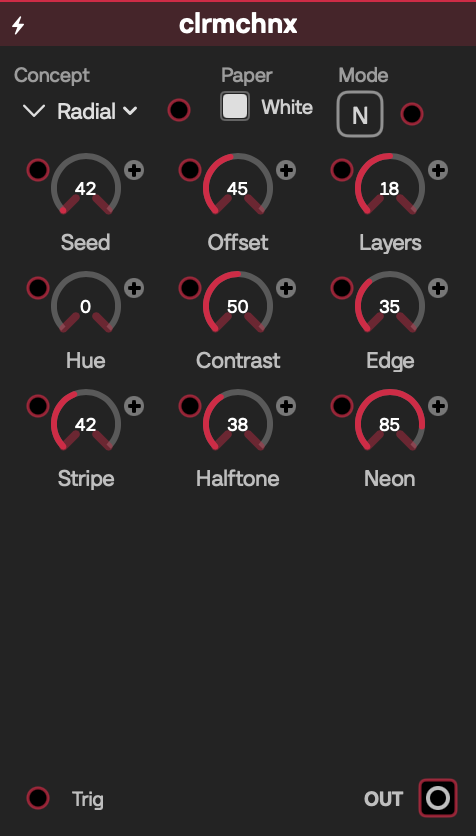
Clrmchnx faceplate
Sources

Clrmchnx

Generates a seeded, print-inspired layered composition with paper, stripe, halftone, edge, and neon treatments.

Inputs

LabelSignalPurpose
TrigFloat/CV triggerRising crossing above 0.5 chooses a new seeded variation.
Concept, Paper, Mode, Seed, Offset, Layers, Hue, Contrast, Edge, Stripe, Halftone, NeonFloat/CVDrive the matching generator control.

Outputs

LabelSignalPurpose
OutVideoGenerated Clrmchnx composition.

Controls

ControlInitial valueRange / step or optionsPurpose
Concept00–2 / 1Selects one of three concepts. Current source/UI does not publish names.
PaperOnOff (0), On (1)Adds the paper treatment.
Mode00–5 / 1Selects one of six render modes. Current source/UI does not publish names.
Seed420–10,000 / 1Repeatable composition variation.
Offset0.450–1 / 0.01Layer offset.
Layers188–28 / 1Layer count.
Hue00–1 / 0.01Palette rotation.
Contrast0.50–1 / 0.01Tonal contrast.
Edge0.350–1 / 0.01Edge treatment.
Stripe0.420–1 / 0.01Stripe contribution.
Halftone0.380–1 / 0.01Halftone contribution.
Neon0.850–1 / 0.01Neon-color contribution.

Starting patch

Connect a slow trigger to Trig, keep Paper on, and adjust Hue and Halftone for changing poster-like frames.

Notes

The image is stable between control changes/triggers rather than being a continuously time-driven animation. Concept and Mode are honestly numeric/WIP in the current generic UI; names are not invented here.

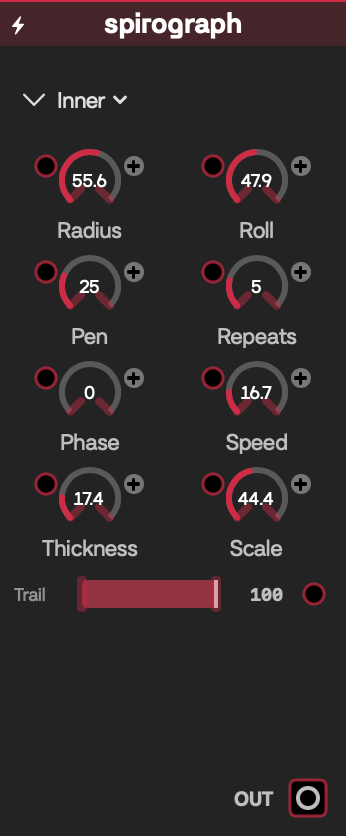
Spirograph faceplate
Sources

Spirograph

Draws animated inner- or outer-wheel spirograph curves with repeated hues, adjustable geometry, and partial-to-full trails.

Inputs

LabelSignalPurpose
Type, Radius, r, d, Repeats, Phase, Speed, Thickness, Scale, Hue, Hue Spread, BG Alpha, TrailFloat/CVDrive matching curve, motion, color, or trail controls.

Outputs

LabelSignalPurpose
OutVideoRendered spirograph video.

Controls

ControlInitial valueRange / step or optionsPurpose
TypeInnerInner, OuterHypotrochoid or epitrochoid-style construction.
Radius0.60.1–1 / 0.01Fixed-circle radius.
r0.250.02–0.5 / 0.01Rolling-circle radius.
d0.20–0.8 / 0.01Pen distance from rolling-circle center.
Repeats51–20 / 1Repeated colored curves.
Phase00–6.28 / 0.1Starting phase in radians.
Speed0.50–3 / 0.1Animation rate.
Thickness0.0250.005–0.12 / 0.005Stroke width.
Scale10.2–2 / 0.05Overall size.
Hue00–1 / 0.01Base hue.
Hue Spread10–1 / 0.01Color variation across repeats.
BG Alpha00–1 / 0.01Background opacity.
Trail10–1 / 0.01Fraction of the curve drawn; 1 shows the full path.

Starting patch

Set Trail below 0.3, raise Repeats, and use a slow Speed for a drawing-on animation.

Notes

Some radius ratios close neatly while others make long evolving curves. More repeats and thicker/full trails increase per-pixel curve work.

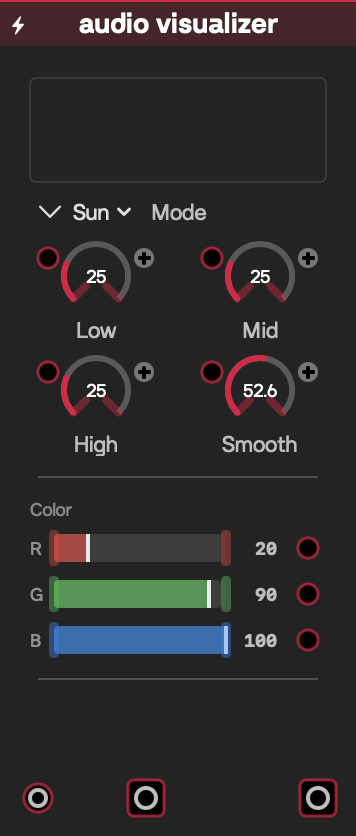
Audio Visualizer faceplate
Sources

Audio Visualizer

Analyzes a connected audio stream and renders it in one of twelve spectrum, waveform, radial, or meter visual styles while passing the audio onward.

Inputs

LabelSignalPurpose
Audio InAudioAudio frames to analyze and pass through. There is no global-audio fallback when disconnected.
Low Gain, Mid Gain, High Gain, Smoothing, Red, Green, BlueFloat/CVDrive band response, temporal smoothing, and tint. Mode intentionally has no CV jack.

Outputs

LabelSignalPurpose
OutVideoAudio-reactive visualization.
Audio OutAudioThe connected audio frame passed through unchanged; when no audio arrives, an empty 48 kHz frame is emitted.

Controls

ControlInitial valueRange / step or optionsPurpose
ModeSunBars, Aurora, Silk, Scope, Sun, Mandala, Nebula, Tunnel, Julia, Burst, Bands, VUVisualization style.
Low Gain, Mid Gain, High Gain10–4 / 0.05Per-band analysis gain.
Smoothing0.50–0.95 / 0.01Temporal averaging; higher values move more slowly.
Red, Green, Blue0.2, 0.9, 10–1 / 0.01Base visualization tint.

Starting patch

Connect Audio Follow's Audio output to Audio In, connect visual Out to Output, and optionally route Audio Out to Output's audio input. Try Bars first to confirm band response.

Notes

The module performs FFT/spectrum, waveform, stereo-history, and band analysis from the connected Audio signal only; device/system-audio permission and selection belong to the upstream audio-capture module or app audio settings. It continuously renders a full video plus a low-resolution preview. Audio Out is a pass-through, not effected audio.

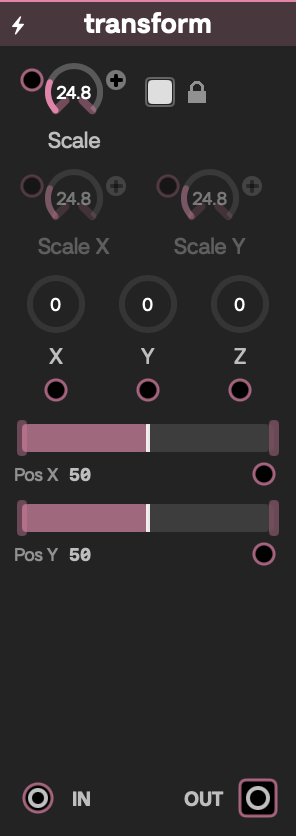
Transform faceplate
Effects

Transform

Reframes a video with independent scale, three-axis rotation, and position controls.

Inputs

LabelSignalPurpose
InVideoImage to transform.
Scale, Scale X, Scale Y, Rotation X, Rotation Y, Rotation Z, Pos X, Pos YFloat/CVDrive the matching transform control.

Outputs

LabelSignalPurpose
OutVideoTransformed image.

Controls

ControlInitial valueRange / step or optionsPurpose
Scale, Scale X, Scale Y10.01–4 / 0.01Uniform or independent horizontal/vertical scale.
Lock ScaleOnOff, OnUses Scale when on and Scale X/Y when off; no CV jack.
Rotation X, Rotation Y, Rotation Z0°0–360° / 1°Tilts or rotates the image around each axis.
Pos X, Pos Y0−1–1 / 0.01Moves the transformed image.

Starting patch

Connect a source to In, then try Scale 1.2 and Rotation Z 15°.

Notes

The source is fitted without stretching before the transform; areas moved outside the frame are transparent.

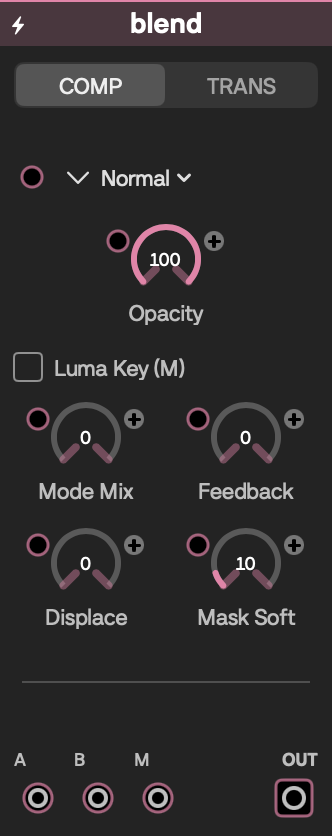
Blend faceplate
Effects

Blend

Provides an always-active compositor and a separate A-to-B transition circuit in one module.

Inputs

LabelSignalPurpose
A, B, M (Comp page)VideoForeground, background, and optional mask for the compositor.
A, B (Trans page)VideoStart and end images for the transition.
Mode, Opacity, Mode Mix, Feedback, Displace, Mask Key, Mask SoftFloat/CVDrive the matching compositor control.
Transition, Progress, Wipe Angle, Sync, Sync Beats, Sync DirFloat/CVDrive the matching transition control.

Outputs

LabelSignalPurpose
CompVideoComposited A/B result.
TransVideoTransition result.

Controls

ControlInitial valueRange / step or optionsPurpose
ModeNormalNormal, Add, Screen, Multiply, Overlay, Difference, Dodge, Burn, Soft Light, Hard Light, Exclude, Hue, Sat, Color, LuminComp blend operation.
Opacity10–1 / 0.01Comp strength.
Mode Mix00–1 / 0.01Crossfades toward the next blend mode, wrapping after Lumin.
Feedback00–1 / 0.01Mixes in Comp's previous frame.
Displace00–1 / 0.01Uses B luminance gradients to displace A.
Mask KeyOffOff — Multiply mask; On — Luma keyChanges how M is interpreted.
Mask Soft0.10–1 / 0.01Feathering for luma-key masks.
TransitionDissolveDissolve, Wipe H, Wipe V, Perlin, Glitch, Voronoi, Kaleido, Pix Sort, Wipe ∠Trans style.
Progress00–1 / 0.01Manual A-to-B position.
Wipe Angle0°0–360° / 1°Direction for Wipe ∠.
SyncOffOff, OnDrives Progress from patch BPM/Link.
Sync Beats11/32, 1/16, 1/8, 1/4, 1/2, 1, 2, 4, 8, 16, 32Synced transition length.
Sync DirForwardForward, Backward, Ping-pongSynced movement direction.

Starting patch

Feed two sources into the Comp A and B jacks, select Screen, and lower Opacity; use the Trans page independently for a BPM-synced wipe.

Notes

Either circuit passes through its one connected video when the other is absent. Comp feedback keeps one full-frame history video and resets when the output format changes; changing the visible page does not disable the hidden circuit. Mask Key and Sync can be changed on the module but cannot currently be CV-patched there.

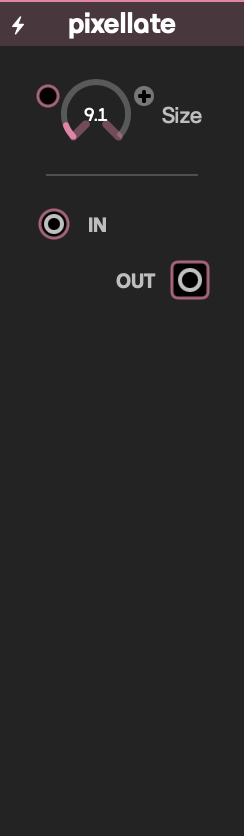
Pixellate faceplate
Effects

Pixellate

Reduces an image to adjustable blocks of sampled color.

Inputs

LabelSignalPurpose
InVideoImage to pixelate.
SizeFloat/CVControls block size.

Outputs

LabelSignalPurpose
OutVideoPixelated image.

Controls

ControlInitial valueRange / step or optionsPurpose
Size0.020.002–0.2 / 0.001Block size in normalized image space.

Starting patch

Connect video to In and raise Size toward 0.06 for an obvious mosaic.

Notes

Each frame is processed once, making this a comparatively light effect.

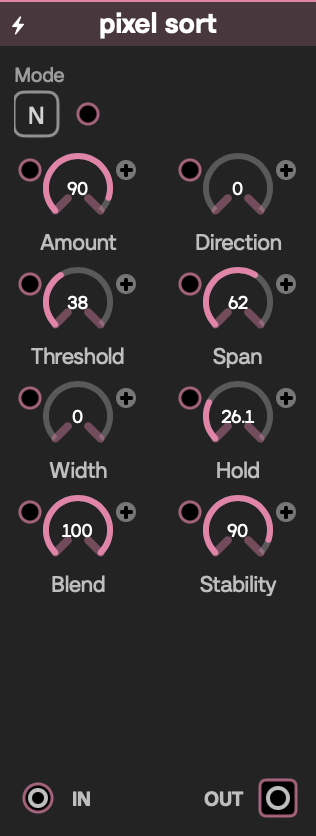
Pixel Sort faceplate
Effects

Pixel Sort

Creates directional pixel-stretch and pixel-sorted bands with a controlled held-frame trail.

Inputs

LabelSignalPurpose
InVideoImage to process.
Amount, Direction, Mode, Threshold, Span, Width, Hold, Blend, StabilityFloat/CVDrive the matching control.

Outputs

LabelSignalPurpose
OutVideoSorted/stretching result.

Controls

ControlInitial valueRange / step or optionsPurpose
Amount0.90–1 / 0.01Overall displacement.
DirectionHorizontalHorizontal, VerticalSort axis.
ModeLumaLuma, Hue, Saturation, EdgeChooses the feature used to drive the sort treatment.
Threshold0.380–1 / 0.01Luminance gate.
Span0.620–1 / 0.01Search distance, from a few pixels to half the axis.
Width00–1 / 0.01Stroke width, mapped from 1 to 48 pixels.
Hold0.240–0.92 / 0.01Previous-frame contribution.
Blend10–1 / 0.01Wet/dry mix.
Stability0.90–1 / 0.01Reduces time-varying jitter.

Starting patch

Use moving video, keep Amount high, then sweep Threshold and Span until bright regions pull into bands.

Notes

The module keeps one full-resolution held frame and clears it when the output format changes. Hold carries the previous result forward; lowering Stability keeps motion in the effect, so either setting can keep it active on a still input. High Span values can be GPU-heavy. The Mode menu currently also shows Overlay and Diff; both produce Edge.

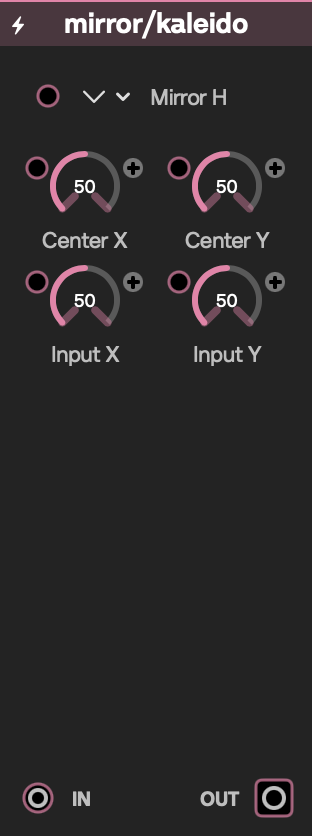
Mirror/Kaleido faceplate
Effects

Mirror/Kaleido

Mirrors, folds, or tiles a video around an adjustable center.

Inputs

LabelSignalPurpose
InVideoImage to fold.
Mode, Segments, Angle, Center X, Center Y, Input X, Input Y, Dome, Sides, Tile SizeFloat/CVDrive the matching control.

Outputs

LabelSignalPurpose
OutVideoMirrored or tiled image.

Controls

ControlInitial valueRange / step or optionsPurpose
ModeMirror HMirror H, Mirror V, Mirror Both, Kaleidoscope, Polygon TilesMapping style.
Segments62–32 / 1Kaleidoscope wedge count.
Angle0°−180–180° / 1°Rotates the mapping.
Center X, Center Y0.50–1 / 0.005Fold center.
Input X, Input Y0−1–1 / 0.005Offsets the sampled image.
Dome0−50–50 / 0.5Curves the Polygon Tiles surface.
Sides33–6 / 1Polygon side count.
Tile Size0.250.04–1 / 0.01Polygon tile scale.

Starting patch

Select Kaleidoscope, set Segments to 8, then move Center X/Y around a detailed source.

Notes

The module changes which controls are prominent by mode, but all parameters remain part of module state and are CV-addressable.

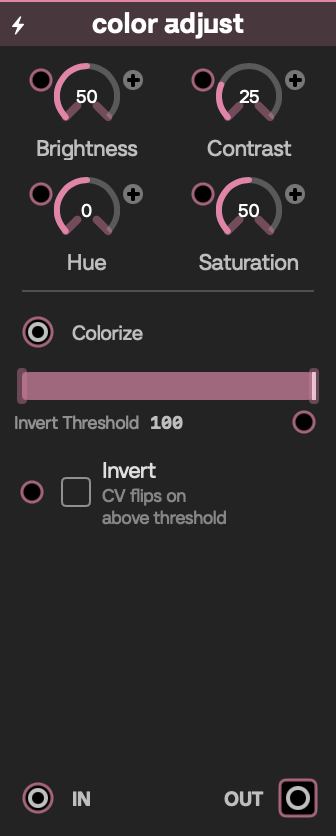
Color Adjust faceplate
Effects

Color Adjust

Applies basic tonal/color correction, optional inversion, and video-driven colorization.

Inputs

LabelSignalPurpose
InVideoImage to grade.
ColorizeVideoOptional color source used to recolor the image.
Brightness, Contrast, Hue, Saturation, Invert, Invert ThresholdFloat/CVDrive the matching control; Invert CV switches on at its threshold.

Outputs

LabelSignalPurpose
OutVideoAdjusted image.

Controls

ControlInitial valueRange / step or optionsPurpose
Brightness0−1–1 / 0.01Adds or removes brightness.
Contrast10–4 / 0.01Tonal contrast; 1 is neutral.
Hue0°−180–180° / 1°Rotates hue.
Saturation10–2 / 0.01Color saturation; 1 is neutral.
InvertOffOff, OnInverts colors immediately when on.
Invert Threshold100%0–100 / 1Required normalized Invert CV level, expressed as percent.

Starting patch

Connect a source to In, lower Saturation, then feed a gradient into Colorize.

Notes

Manual Invert overrides the threshold. Without a Colorize video, colorization is disabled rather than using an arbitrary fallback color.

Blur faceplate
Effects

Blur

Offers a fast Metal Performance Shaders Gaussian blur and a configurable multi-pass shader blur.

Inputs

LabelSignalPurpose
InVideoImage to blur.
Radius 1, Radius 2, PassesFloat/CVDrive the active engine's radius or pass count.

Outputs

LabelSignalPurpose
OutVideoBlurred image.

Controls

ControlInitial valueRange / step or optionsPurpose
EngineMPSMPS, Multi-passChooses blur implementation; no CV jack.
Radius 140–40 / 0.1MPS blur radius.
Radius 240–20 / 0.1Multi-pass blur radius.
Passes41–12 / 1Multi-pass iteration count.

Starting patch

Begin with MPS and Radius 1 around 8; use Multi-pass when you want its softer repeated-pass look.

Notes

Radius near zero passes the source through. Multi-pass repeats the blur twice per iteration and becomes substantially more expensive as Passes rises; legacy blur presets migrate into this unified module.

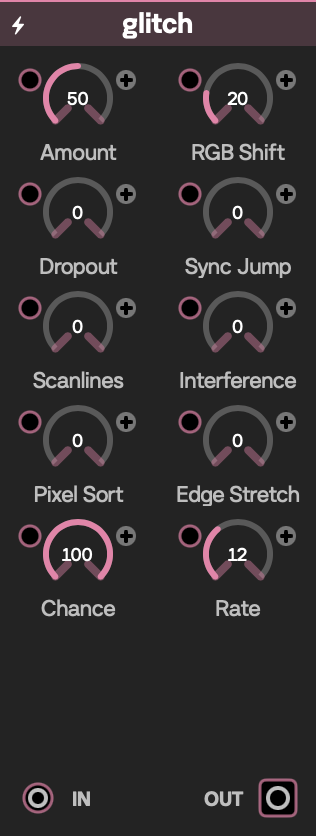
Glitch faceplate
Effects

Glitch

Layers rhythmic RGB separation, dropout, scanline, interference, sort, and stretch artifacts.

Inputs

LabelSignalPurpose
InVideoImage to disrupt.
Amount, RGB Shift, Dropout, Sync Jump, Scanlines, Interference, Pixel Sort, Edge Stretch, Chance, RateFloat/CVDrive the matching artifact control.

Outputs

LabelSignalPurpose
OutVideoGlitched image.

Controls

ControlInitial valueRange / step or optionsPurpose
Amount0.50–1 / 0.01Overall distortion.
RGB Shift0.030–0.15 / 0.001Channel separation distance.
Dropout, Sync Jump, Scanlines, Interference, Pixel Sort, Edge Stretch00–1 / 0.01Strength of each artifact family.
Chance10–1 / 0.01Probability that timed glitches occur.
Rate121–32 / 1Temporal event rate.

Starting patch

Raise RGB Shift and Sync Jump, then lower Chance for intermittent events.

Notes

Time-based artifacts keep animating while the module is active. Combining Pixel Sort and Edge Stretch can be more demanding than the basic channel and scanline effects.

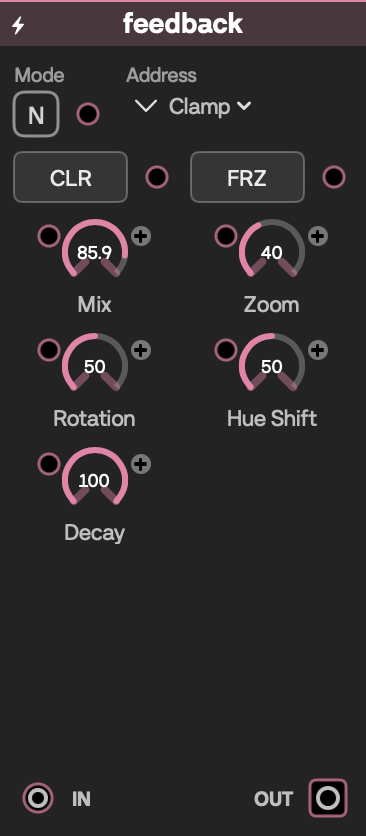
Feedback faceplate
Effects

Feedback

Accumulates previous output frames into a controllable video feedback loop.

Inputs

LabelSignalPurpose
InVideoLive image injected into the loop.
ClearFloat/CV triggerA rising value reaching 1 clears history.
FreezeFloat/CV triggerA rising value reaching 1 toggles the held state.
Mix, Zoom, Rotation, Hue Shift, Mode, DecayFloat/CVDrive feedback controls. Address has no CV jack.

Outputs

LabelSignalPurpose
OutVideoCurrent accumulated frame.

Controls

ControlInitial valueRange / step or optionsPurpose
ModeNormalNormal, Add, Screen, Multiply, Overlay, DifferenceBlend operation.
AddressClampClamp, Wrap, MirrorBehavior outside image bounds.
Clear button—MomentaryClears the feedback buffer.
Freeze buttonOffLatched Off/OnHolds the current buffer and stops history writes.
Mix0.850–0.99 / 0.01Previous-frame amount.
Zoom1.020.9–1.2 / 0.005Per-frame feedback scaling.
Rotation0°−10–10° / 0.1°Per-frame rotation.
Hue Shift0°−30–30° / 0.5°Per-frame hue drift.
Decay10.9–1 / 0.005Per-frame brightness retention.

Starting patch

Feed video to In, keep Mix below 0.9, and use a tiny Zoom or Rotation; press Clear if the loop saturates.

Notes

The module keeps one full-resolution history frame, starts clear, and resets when the output format changes. Freeze ignores new input until toggled off. Mix is capped below 1, but bright blend modes and Decay 1 can still build up quickly. Motion and decay are tuned around 60 fps, so their feel can change with frame rate.

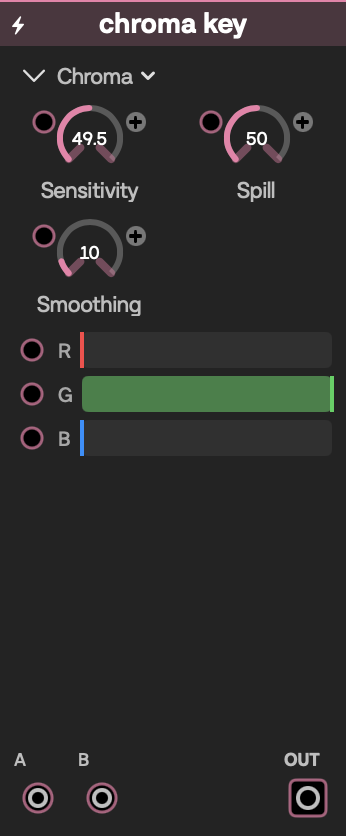
Chroma Key faceplate
Effects

Chroma Key

Keys video A over video B using either luminance or a chosen chroma color.

Inputs

LabelSignalPurpose
A, BVideoForeground to key and replacement/background image.
Sensitivity, Spill, Smoothing, Key R, Key G, Key BFloat/CVDrive key tolerance, cleanup, and color. Mode has no CV jack.

Outputs

LabelSignalPurpose
OutVideoKeyed composite.

Controls

ControlInitial valueRange / step or optionsPurpose
ModeChromaLuma, ChromaKeying method.
Sensitivity0.50.01–1 / 0.01Key tolerance.
Spill0.50–1 / 0.01Chroma spill suppression.
Smoothing0.10–1 / 0.01Edge feathering.
Key R, Key G, Key B0, 1, 00–1 / 0.01Chroma key color; shown only in Chroma mode.

Starting patch

Put green-screen video in A, the replacement in B, then tune Sensitivity and Smoothing around the default green key.

Notes

B alone passes through. A alone is keyed against transparency, and with neither input connected the output clears. This is the picker-visible keying module, distinct from the separate non-picker chromaKey compatibility entry.

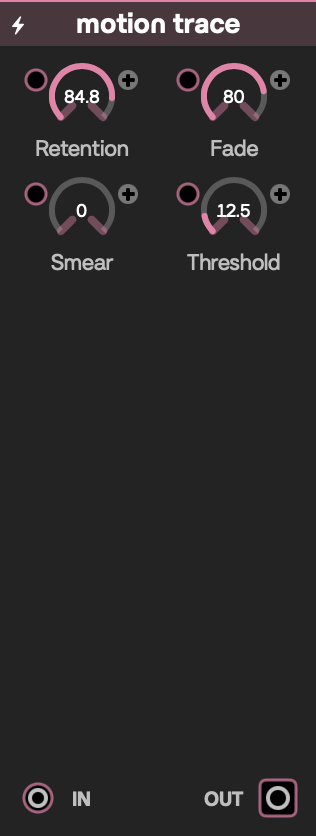
Motion Trace faceplate
Effects

Motion Trace

Leaves bright, decaying traces where moving image details have just been.

Inputs

LabelSignalPurpose
InVideoLive image used for motion comparison.
Retention, Fade, Smear, ThresholdFloat/CVDrive the matching trail control.

Outputs

LabelSignalPurpose
OutVideoLive image composited with the accumulated trace.

Controls

ControlInitial valueRange / step or optionsPurpose
Retention0.920.5–0.995 / 0.005Strength of newly deposited ghosts.
Fade0.980.9–1 / 0.005Brightness retained by existing traces each frame.
Smear00–1 / 0.05Spreads accumulated traces into neighboring pixels.
Threshold0.050–0.4 / 0.005Minimum frame-to-frame color change treated as motion.

Starting patch

Connect a moving, high-contrast source to In, keep Retention near 0.9, and lower Fade if traces linger too long.

Notes

The module keeps both the accumulated trail and the previous input at full resolution. Both histories clear when the output format changes, and there is no manual reset. Motion comes from frame-to-frame differences, so camera noise and hard cuts can also create traces. Smear and the two stored frames add GPU and memory cost.

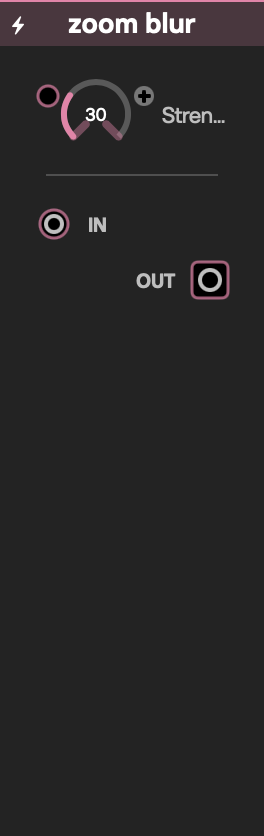
Zoom Blur faceplate
Effects

Zoom Blur

Pulls the image radially toward its center to create a zoom-motion streak.

Inputs

LabelSignalPurpose
InVideoImage to blur.
StrengthFloat/CVControls radial blur distance.

Outputs

LabelSignalPurpose
OutVideoRadially blurred image.

Controls

ControlInitial valueRange / step or optionsPurpose
Strength0.30–1 / 0.01Distance sampled toward the image center.

Starting patch

Connect video to In and sweep Strength between 0.15 and 0.45.

Notes

The module keeps no frame history and preserves the source aspect ratio. It reads 51 source points for every output pixel, so it is considerably heavier than a simple distortion even at low Strength.

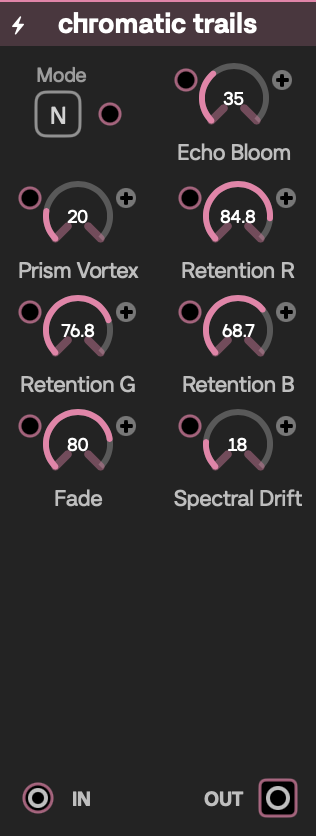
Chromatic Trails faceplate
Effects

Chromatic Trails

Builds animated, color-separated feedback trails with independent red, green, and blue retention.

Inputs

LabelSignalPurpose
InVideoLive image fed into the trail loop.
Mode, Echo Bloom, Prism Vortex, Spectral DriftFloat/CVDrive trail blending and movement.
Retention R, Retention G, Retention B, FadeFloat/CVDrive per-channel and overall trail retention.

Outputs

LabelSignalPurpose
OutVideoCurrent chromatic trail composite.

Controls

ControlInitial valueRange / step or optionsPurpose
ModeNormalNormal, Add, Screen, Multiply, Overlay, DiffBlends the trailed image with the fresh frame.
Echo Bloom0.350–1 / 0.01Expands the animated channel drift.
Prism Vortex0.20–1 / 0.01Adds circular, prism-like motion.
Retention R, Retention G, Retention B0.92, 0.88, 0.840.5–0.995 / 0.005Per-channel previous-frame contribution.
Fade0.980.9–1 / 0.005Overall history brightness retention.
Spectral Drift0.180–1 / 0.01Separates and animates the RGB sampling paths.

Starting patch

Feed moving video into In, choose Screen, and raise Spectral Drift while leaving the three retention values slightly different.

Notes

The module keeps one full-resolution previous output, clears it when the output format changes, and has no manual reset. Drift, bloom, and vortex keep evolving while the module is active. Bright blend modes and high retention or fade can build toward white.

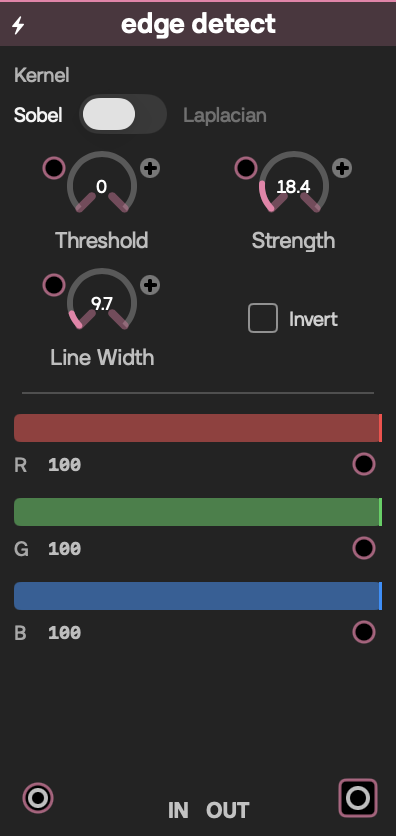
Edge Detect faceplate
Effects

Edge Detect

Converts an image into adjustable Sobel or Laplacian outlines.

Inputs

LabelSignalPurpose
InVideoImage to analyze.
Strength, Threshold, Line Width, Line R, Line G, Line B, ModeFloat/CVDrive edge extraction, color, and kernel choice.

Outputs

LabelSignalPurpose
OutVideoColored edge mask on black.

Controls

ControlInitial valueRange / step or optionsPurpose
ModeSobelSobel, LaplacianChooses the edge kernel.
Strength10.1–5 / 0.1Multiplies edge response.
Threshold00–1 / 0.01Removes weaker edges.
Line Width10.25–8 / 0.05Changes the kernel's texel spacing.
Line R, Line G, Line B1, 1, 10–1 / 0.01Edge color.
InvertOffOff, OnInverts the final edge mask.

Starting patch

Connect a detailed source, start with Sobel, raise Threshold to remove texture noise, then tint the lines.

Notes

Output is an opaque edge image rather than the original video with an overlay. Sobel examines more neighboring pixels than Laplacian. Mode can be switched on the module but cannot currently be CV-patched there; Invert is also manual-only.

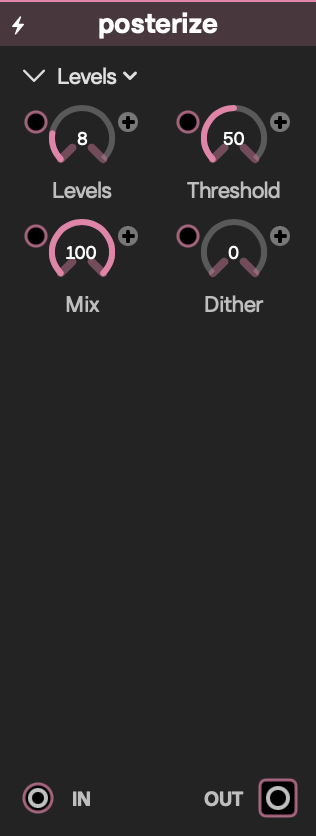
Posterize faceplate
Effects

Posterize

Reduces color into graphic RGB, threshold, luminance, or hue bands.

Inputs

LabelSignalPurpose
InVideoImage to quantize.
Levels, Threshold, Mix, DitherFloat/CVDrive the matching control. Mode has no CV jack.

Outputs

LabelSignalPurpose
OutVideoPosterized image.

Controls

ControlInitial valueRange / step or optionsPurpose
ModeLevelsLevels, Threshold, Luma, HueQuantization treatment.
Levels82–32 / 1Number of color or luminance bands.
Threshold0.50–1 / 0.01Black/white cutoff in Threshold mode; hue rotation center in Hue mode.
Mix10–1 / 0.01Dry/wet blend.
Dither00–1 / 0.01Adds ordered 4×4 dithering around band boundaries.

Starting patch

Select Levels, set Levels to 4, then add a small amount of Dither; try Hue for a more graphic palette.

Notes

Levels works per RGB channel, Luma preserves source hue while banding brightness, and Hue creates saturated hue slices. The module keeps no frame history and processes each frame once.

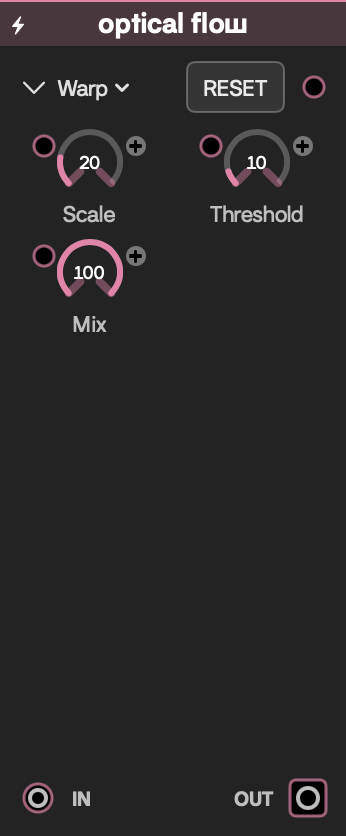
Optical Flow faceplate
Effects

Optical Flow

Estimates motion between frames and uses it to warp, smear, or visualize the image.

Inputs

LabelSignalPurpose
InVideoCurrent frame.
ResetFloat/CV triggerA rising value reaching 1 snaps smear history to the live frame.
Scale, Threshold, MixFloat/CVDrive motion amplification, gating, and wet mix. Type has no CV jack.

Outputs

LabelSignalPurpose
OutVideoWarped, smeared, or vector-colored result.

Controls

ControlInitial valueRange / step or optionsPurpose
TypeWarpWarp, Smear, VectorsOutput treatment.
Scale100–50 / 0.5Amplifies detected motion.
Threshold0.030–0.3 / 0.005Rejects small frame differences.
Mix10–1 / 0.01Dry/wet blend.
Reset button—MomentaryCopies the live frame into smear history.

Starting patch

Use moving camera footage, select Warp, keep Scale around 10, and raise Threshold if noise causes shimmer.

Notes

The module keeps both the previous input and smear result at full resolution and clears them when the output format changes. Motion analysis and the two stored frames add GPU and memory cost, and the module stays active even with a still input. The first frame has no motion history. Reset clears only the smear result, not the previous input used for motion detection.

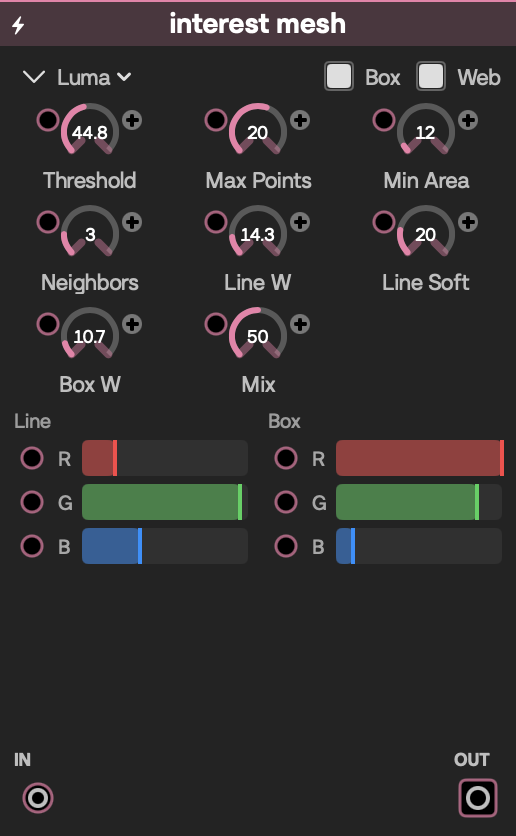
Interest Mesh faceplate
Effects

Interest Mesh

Finds bright regions or corners and draws tracking boxes plus a nearest-neighbor web over the image.

Inputs

LabelSignalPurpose
InVideoImage to analyze and composite.
Threshold, Max Points, Min Area, NeighborsFloat/CVDrive feature detection and web density.
Line W, Line Soft, Line R, Line G, Line BFloat/CVDrive web thickness, softness, and color.
Box W, Box R, Box G, Box BFloat/CVDrive box thickness and color.
MixFloat/CVBlends the source and overlay. Mode, Show Box, and Show Web have no CV jacks.

Outputs

LabelSignalPurpose
OutVideoInput/overlay composite.

Controls

ControlInitial valueRange / step or optionsPurpose
ModeLumaLuma, CornersChooses bright-blob or Harris-corner analysis.
Threshold0.450.02–0.98 / 0.01Detection threshold.
Max Points204–32 / 1Maximum retained features.
Min Area122–200 / 1Minimum bright-region area in Luma mode.
Neighbors32–8 / 1Nearby points linked from each feature.
Line W, Line Soft1.2, 1.20.4–6 / 0.1; 0–6 / 0.1Web thickness and softness.
Box W10.4–6 / 0.1Box thickness.
Mix0.50–1 / 0.010 is input only; 1 is overlay only on black.
Show Box, Show WebOn, OnOff, OnEnable the two overlay layers.
Line R, Line G, Line B0.2, 0.95, 0.350–1 / 0.01Web color.
Box R, Box G, Box B1, 0.85, 0.10–1 / 0.01Box color.

Starting patch

Feed in high-contrast video, start in Luma mode, tune Threshold until a few boxes appear, then raise Neighbors for a denser web.

Notes

Tracking works from a 200-pixel-wide copy and is limited to 32 features and 128 links. Analysis runs separately from drawing, so the overlay can trail fast motion by a frame or more. Noisy images can be CPU-heavy; if tracking cannot run, the input passes through unchanged.

ASCII/Halftone faceplate
Effects

ASCII/Halftone

Rebuilds an image as tinted halftone dots or glyphs from Patchframe's ASCII atlas.

Inputs

LabelSignalPurpose
InVideoImage that drives cell brightness.
Mode, Resolution, Spacing, Contrast, AngleFloat/CVDrive mark style and layout.
Red, Green, Blue, AlphaFloat/CVDrive mark color and opacity.

Outputs

LabelSignalPurpose
OutVideoHalftone or ASCII rendering.

Controls

ControlInitial valueRange / step or optionsPurpose
ModeHalftoneHalftone, ASCIISelects dots or glyphs.
Resolution484–160 / 1Grid density.
Spacing0.150–0.9 / 0.01Empty space around each cell.
Contrast1.20.5–3 / 0.1Brightness contrast used to size/select marks.
Angle0°0–360° / 1°Rotates the mark grid.
Red, Green, Blue, Alpha1, 1, 1, 10–1 / 0.01Output mark color and opacity.

Starting patch

Connect a portrait or bold graphic, select ASCII, lower Resolution to about 32, and increase Contrast.

Notes

ASCII mode depends on Patchframe's generated font atlas; if it cannot be created, output clears. The module keeps no frame history and processes each frame once.

Dot Screen faceplate
Effects

Dot Screen

Converts an image into configurable print-style dots, optionally using a second video as the dot artwork.

Inputs

LabelSignalPurpose
InVideoImage that drives dot size and color separation.
TextureVideoOptional image used in Window or Stamp texture mode.
Grid Size, Min Dot, Max Dot, Angle, Contrast, Invert, MixFloat/CVDrive dot scale, placement, response, and blend.
Shape, Screen, Stamp, HexFloat/CVChoose the mark, color-separation, texture, and grid modes.
Softness, JitterFloat/CVDrive edge feathering and cell variation.
Red, Green, Blue, AlphaFloat/CVDrive screen tint and opacity.

Outputs

LabelSignalPurpose
OutVideoDot-screen composite.

Controls

ControlInitial valueRange / step or optionsPurpose
Grid Size204–80 / 1Dot-grid density.
Min Dot0.050–0.49 / 0.01Minimum dot radius within a cell.
Max Dot0.420.01–0.49 / 0.01Maximum dot radius within a cell.
Angle45°0–360° / 1°Rotates the screen.
Contrast10.5–3 / 0.05Expands or compresses source-luma response.
InvertOffOff, OnReverses the dot-size response.
Mix10–1 / 0.01Dry/wet blend; full wet produces the punch-out screen.
ShapeCircleCircle, Square, Diamond, LineDot primitive.
ScreenMonoMono, RGB, CMYKSingle or separated print screens.
StampWindowWindow, StampSamples the optional video continuously or once per cell.
HexSquareSquare, HexGrid packing.
Softness, Jitter0, 00–1 / 0.01Edge feathering and cell-position variation.
Red, Green, Blue, Alpha1, 1, 1, 10–1 / 0.01Screen tint and opacity. Alpha is saved and CV-addressable but is not shown on the current DOTS and PRINT module pages.

Starting patch

Feed video into In, set Grid Size around 30, then try CMYK with small Jitter; connect a logo to Texture and select Stamp.

Notes

Without a Texture input, Window and Stamp use solid white. The DOTS and PRINT pages only reorganize controls; hidden parameters remain active. The module keeps no frame history and processes each frame once.

Delay Buffer faceplate
Effects

Delay Buffer

Records a rolling frame history and exposes three independently timed, mixed, and reversible read heads.

Inputs

LabelSignalPurpose
InVideoLive frame written to the shared ring buffer.
Frames, FreezeFloat/CVDrive shared history capacity and recording state.
Delay, Mix, Reverse, Patch BPM, BeatsFloat/CVDrive tap 1 timing, blend, direction, and sync.
Delay 2, Mix 2, Reverse 2, Patch BPM 2, Beats 2Float/CVDrive tap 2 timing, blend, direction, and sync.
Delay 3, Mix 3, Reverse 3, Patch BPM 3, Beats 3Float/CVDrive tap 3 timing, blend, direction, and sync.

Outputs

LabelSignalPurpose
Out, Out 2, Out 3VideoIndependent delayed tap results.

Controls

ControlInitial valueRange / step or optionsPurpose
Frames152–60 / 1Requested shared history capacity.
FreezeOffOff, OnStops new frame writes while the read heads continue.
Delay, Delay 2, Delay 35 frames0–59 / 1Free-running delay for each tap.
Mix, Mix 2, Mix 310–1 / 0.01Live/delayed blend for each tap.
Reverse, Reverse 2, Reverse 3OffOff, OnReads from the oldest side of available history.
Patch BPM, Patch BPM 2, Patch BPM 3OffOff, OnReplaces frame delay with patch-tempo timing.
Beats, Beats 2, Beats 311/32, 1/16, 1/8, 1/4, 1/2, 1, 2, 4, 8, 16, 32Tempo division for each synchronized tap.

Starting patch

Connect moving video, keep Frames at 15, set the three delays to 3, 8, and 14, then route the outputs into a mixer.

Notes

All taps share one full-resolution history whose memory use is capped at 256 MiB. At high output resolutions the module may retain fewer than the requested frames, and longer delays clamp to the history available. Fractional tempo delays blend adjacent frames. An output-format change clears history; Freeze preserves what is already stored. The TAPE and TAPS pages only choose which controls and jacks are visible.

Multiply faceplate
Effects

Multiply

Repeats an image as a grid, layered overlay, or mirrored mosaic, with optional per-instance temporal staggering.

Inputs

LabelSignalPurpose
InVideoImage to repeat.
Mode, Blend, Cols, Rows, Scale, Offset X, Offset Y, Opacity, JitterFloat/CVDrive layout, compositing, position, and variation.
Delay, Beats, BPM Sync, Shuffle delay, Reverse orderFloat/CVDrive temporal spacing and order.

Outputs

LabelSignalPurpose
OutVideoMultiplied image.

Controls

ControlInitial valueRange / step or optionsPurpose
ModeGridGrid, Overlay, MosaicRepeat layout.
BlendNormalNormal, Add, Screen, Multiply, Overlay, DiffInstance compositing mode.
Cols, Rows2, 21–16 / 1Grid dimensions.
Scale251–100 / 1Instance scale; 25 is 100% and 100 is 400%.
Offset X, Offset Y0, 0−1–1 / 0.01Shifts the repeated layout.
Delay0−50–50 / 0.5Per-instance history order and distance in free-run mode.
Beats11/32, 1/16, 1/8, 1/4, 1/2, 1, 2, 4, 8, 16, 32Synchronized frame spacing between instances.
Reverse orderOffOff, OnReverses synchronized delay order.
Opacity100%0–100 / 1Per-instance alpha.
Jitter0%0–100 / 1Stable instance-position variation.
BPM SyncOffOff, OnUses patch BPM and Beats instead of Delay magnitude.
Shuffle delayOffOff, OnApplies a stable shuffled temporal order.

Starting patch

Choose Grid, set 4 columns by 3 rows, then add a small Delay; try Mosaic with Shuffle delay for a more irregular wall.

Notes

With Delay near zero and BPM Sync off, the module releases its history and uses less memory. Temporal mode can keep up to 64 full-resolution frames, so high output resolutions are memory-heavy. Large row and column counts also increase GPU work substantially. BPM Sync rounds temporal spacing to whole rendered frames, so timing precision depends on frame rate. Mode, Blend, BPM Sync, Shuffle delay, and Reverse order can be changed on the module but cannot currently be CV-patched there.

Echo faceplate
Effects

Echo

Builds a cascade of transformed image copies with spatial, color, opacity, and temporal decay.

Inputs

LabelSignalPurpose
InVideoImage copied through the cascade.
Count, Spread X, Spread Y, Rot Spread, Scale Decay, Alpha Decay, Blend, Hue Drift, Delay, Beats, Origin X, Origin YFloat/CVDrive the matching echo control. BPM Sync and Address have no CV jacks.

Outputs

LabelSignalPurpose
OutVideoEcho cascade.

Controls

ControlInitial valueRange / step or optionsPurpose
Count51–32 / 1Number of copies.
Spread X, Spread Y0.1, 0−1–1 / 0.01Position increment per copy.
Rot Spread0.1−3.14–3.14 / 0.01Rotation increment in radians.
Scale Decay0.90.1–2 / 0.01Scale multiplier across copies.
Alpha Decay0.70.1–1 / 0.01Opacity multiplier across copies.
BlendNormalNormal, Add, Screen, Multiply, Overlay, DiffCopy blend mode.
Hue Drift0°−180–180° / 1°Hue change per copy.
Delay0 frames0–16 / 0.5History offset per copy.
Beats1/41/32, 1/16, 1/8, 1/4, 1/2, 1, 2, 4, 8, 16, 32Patch-tempo spacing in BPM mode.
BPM SyncOffOff, OnUses Beats and patch BPM for copy timing.
AddressClampClamp, Wrap, MirrorSampling outside the image.
Origin X, Origin Y0.5, 0.50–1 / 0.01Transform origin.

Starting patch

Set Count to 8, Spread X to 0.06, Alpha Decay near 0.75, and add a small positive Rot Spread.

Notes

Delay below 0.5 frame with BPM Sync off avoids keeping history. Temporal mode can keep up to 64 full-resolution frames and clears them when the output format changes. BPM Sync limits Count to 1, 2, 4, 8, 16, or 32 and distributes rotation as whole turns across that count. High Count is GPU-heavy; bright blend modes can saturate quickly.

Perispheric faceplate
Effects

Perispheric

Wraps a rectangular image around a polar planet or tunnel projection.

Inputs

LabelSignalPurpose
InVideoImage to wrap.
Strength, Rotate, Zoom, OffsetFloat/CVDrive the projection. Type has no CV jack.

Outputs

LabelSignalPurpose
OutVideoPolar-wrapped image.

Controls

ControlInitial valueRange / step or optionsPurpose
TypePlanetPlanet, TunnelChooses whether the source's top or bottom edge maps to the projection center.
Strength10–1 / 0.01Blends from the original image to the polar mapping.
Rotate0 turns0–1 / 0.01Rotates one full turn around the projection.
Zoom10.25–4 / 0.01Changes planet/tunnel scale.
Offset00–1 / 0.01Scrolls and wraps the source along its radial axis.

Starting patch

Connect a panoramic or striped source, select Planet, set Strength to 1, then rotate and offset it slowly.

Notes

Strength 0 returns to the original image mapping. Outside the polar disc is transparent at full strength. The module keeps no frame history, preserves the source aspect ratio, and processes each frame once.

Fish Eye faceplate
Effects

Fish Eye

Applies an adjustable equidistant fisheye or inverse-fisheye lens projection around a movable center.

Inputs

LabelSignalPurpose
InVideoImage to distort.
Strength, Zoom, Center X, Center YFloat/CVDrive the lens projection.

Outputs

LabelSignalPurpose
OutVideoLens-distorted image.

Controls

ControlInitial valueRange / step or optionsPurpose
Strength0.5−1–1 / 0.01Positive fisheye, zero neutral lens, negative inverse distortion.
Zoom10.25–4 / 0.01Lens magnification.
Center X, Center Y0.5, 0.50–1 / 0.01Lens center.

Starting patch

Connect a grid or face, set Strength around 0.65, and move Center X/Y toward the subject.

Notes

Zoom and center still affect the image when Strength is zero. The projection preserves the source aspect ratio, repeats edge pixels outside the image, and keeps no frame history.

Wave faceplate
Effects

Wave

Animates a sine-wave displacement horizontally, vertically, or on both axes.

Inputs

LabelSignalPurpose
InVideoImage to ripple.
Amplitude, Frequency, Speed, DirectionFloat/CVDrive the matching wave control.

Outputs

LabelSignalPurpose
OutVideoWave-distorted image.

Controls

ControlInitial valueRange / step or optionsPurpose
Amplitude0.50–2 / 0.01Displacement strength.
Frequency41–20 / 0.5Number/tightness of waves.
Speed10–4 / 0.1Time animation rate.
DirectionHorizontalHorizontal, Vertical, BothDisplacement axis.

Starting patch

Connect video, set Amplitude around 0.25 and Frequency around 6, then try Both with a slow Speed.

Notes

Speed 0 freezes the phase. A nonzero value keeps the wave animating even when the input is still. The module keeps no frame history and preserves the source aspect ratio.

Refraction faceplate
Effects

Refraction

Distorts an image through animated heat, ripple, glass, prism, or twist fields.

Inputs

LabelSignalPurpose
InVideoImage to refract.
Strength, Scale, Speed, Angle, Chromatic, MixFloat/CVDrive the matching distortion control. Function has no CV jack.

Outputs

LabelSignalPurpose
OutVideoRefracted image.

Controls

ControlInitial valueRange / step or optionsPurpose
FunctionHeatHeat, Ripple, Glass, Prism, TwistDistortion field.
Strength0.50–2 / 0.01Refraction displacement.
Scale205–60 / 1Spatial frequency/detail.
Speed10–2 / 0.01Animation rate.
Angle0 turns0–1 / 0.01Distortion direction/rotation.
Chromatic00–1 / 0.01RGB separation.
Mix10–1 / 0.01Dry/wet blend.

Starting patch

Select Heat, set Strength near 0.4 and Speed around 0.5; add Chromatic sparingly.

Notes

With Mix above zero, nonzero Speed animates whenever Strength or Chromatic is active. Speed 0 produces a static field. The module keeps no frame history; Glass, Prism, and other multi-lookup functions can cost more GPU time than simpler distortions.

Crystal Distortion faceplate
Effects

Crystal Distortion

Breaks an image into prismatic crystal facets, with triggerable pattern changes and optional audio response.

Inputs

LabelSignalPurpose
InVideoImage to fracture.
TrigFloat/CV triggerEach rising edge advances to a new deterministic facet variation.
AudioAudioOptional audio frame used for RMS response.
Amount, Facets, Depth, Scatter, RotationFloat/CVDrive facet shape and movement.
Dispersion, Edges, Seed, Audio React, MixFloat/CVDrive color separation, highlights, variation, reaction, and blend.

Outputs

LabelSignalPurpose
OutVideoCrystal-distorted image.

Controls

ControlInitial valueRange / step or optionsPurpose
Amount0.550–1 / 0.01Overall facet distortion.
Facets61–10 / 1Facet count/detail.
Depth0.350–1 / 0.01Geometric depth.
Scatter0.250–1 / 0.01Facet displacement variation.
Rotation0.15−1–1 / 0.01Facet-field rotation.
Dispersion0.30–1 / 0.01Prismatic RGB separation.
Edges0.40–1 / 0.01Crystal edge highlight.
Seed00–999 / 1Base deterministic pattern seed.
Audio React0.50–1 / 0.01Adds audio energy to depth, scatter, dispersion, and edges.
Mix10–1 / 0.01Dry/wet blend.

Starting patch

Connect video to In, set Facets to 5–7, and send occasional triggers to Trig; connect Audio Follow's Audio output to Audio for reactive dispersion.

Notes

Audio comes only from the Audio jack, so capture permission and device choice belong to the upstream audio module. The response has a short attack and release tail that can keep the module active briefly after sound stops. Each trigger advances Seed through a repeatable sequence. The module stores no video history.

Reality Fold faceplate
Effects

Reality Fold

Folds an image through recursive portals and topology changes, with feedback memory, beat-length gestures, triggers, and audio response.

Inputs

LabelSignalPurpose
InVideoImage to fold.
TrigFloat/CV triggerWhen connected, a rising edge starts a new fold/topology gesture.
AudioAudioOptional bass and full-band reaction source.
Fold, Depth, Portals, Recursion, Perspective, TwistFloat/CVDrive portal structure and deformation.
Memory, Edge Light, Audio React, Mix, BeatsFloat/CVDrive feedback, highlights, reaction, blend, and gesture timing.

Outputs

LabelSignalPurpose
OutVideoFolded portal composite.

Controls

ControlInitial valueRange / step or optionsPurpose
Fold0.550–1 / 0.01Overall folding deformation.
Depth0.450–1 / 0.01Portal depth.
Portals41–8 / 1Number of portal sectors.
Recursion0.550–1 / 0.01Nested portal repetition.
Perspective0.1−1–1 / 0.01Forward/backward perspective tension.
Twist0.15−1–1 / 0.01Continuous topology twist.
Memory0.350–0.95 / 0.01Previous-output contribution.
Edge Light0.450–1 / 0.01Portal/fold highlight.
Audio React0.50–1 / 0.01Scales bass/full-band modulation.
Mix10–1 / 0.01Dry/wet blend.
Beats11/4, 1/2, 1, 2, 4, 8Gesture duration from patch tempo.

Starting patch

Feed in a geometric source, keep Fold and Recursion near their defaults, and leave Trig disconnected for autonomous beat-synced topology changes.

Notes

With Trig disconnected, topology gestures cycle automatically from the patch beat; connecting it stops that clock, and rising edges launch gestures of the selected Beats length. Bass increases depth, portal scale, and perspective; full-band energy raises edge light and memory. The module keeps one full-resolution previous output, clears it when the output format changes, and has no manual reset. Memory, Twist, automatic motion, trigger tails, and audio release can keep the module active. Fold 0 or Mix 0 returns the dry image, but history still updates for later use.

Glow faceplate
Effects

Glow

Adds outer or inner bloom with thresholding, hue rotation, directional streaks, prism separation, and sparkles.

Inputs

LabelSignalPurpose
InVideoImage to bloom.
Radius, Intensity, Threshold, Tint, Streak, Angle, Prism, SparkleFloat/CVDrive glow appearance. Inner has no CV jack.

Outputs

LabelSignalPurpose
OutVideoGlowing image.

Controls

ControlInitial valueRange / step or optionsPurpose
InnerOffOff, OnDraws glow inward rather than around bright regions.
Radius81–30 / 1Blur spread.
Intensity0.50–2 / 0.01Glow brightness.
Threshold00–1 / 0.01Minimum source luminance included.
Tint0 turns0–1 / 0.01Rotates glow hue through one full turn.
Streak00–1 / 0.01Stretches the kernel directionally.
Angle0 turns0–1 / 0.01Streak direction.
Prism00–1 / 0.01Separates glow colors along the streak.
Sparkle00–1 / 0.01Adds time-varying bright specks.

Starting patch

Raise Threshold to isolate highlights, set Radius around 10 and Intensity near 0.7, then add a small Streak.

Notes

Larger Radius values read more neighboring pixels, up to nine steps, and increase GPU work. Sparkle keeps changing while the module is active. The module keeps no frame history.

Hula faceplate
Effects

Hula

Unshuffles an image into strips — a riffle shuffle in reverse — by dealing columns, rows, or both into division groups.

Reference

Hula refers to the work of artist and poet Jiří Hůla (1944–2022), who developed a method of rearranging visual information units.

Jiří Hůla, rearrangement of visual information units

Inputs

LabelSignalPurpose
InVideoImage to unshuffle.
RevFloat/CV triggerRising-edge trigger that toggles Reverse.
Strips, Division, Mode, Mix, Offset, Delay, BeatsFloat/CVDrive the matching control. Reverse and BPM Sync have no CV jack.

Outputs

LabelSignalPurpose
OutVideoUnshuffled image.

Controls

ControlInitial valueRange / step or optionsPurpose
ModeColumnsColumns, Rows, BothAxis to slice.
Strips162–64 / 1Strips per axis.
Division22–16 / 1Deal into this many groups (2 = odd/even).
Mix10–1 / 0.010 is the original, 1 is the full unshuffle.
Offset00–1 / 0.01Rotates which strip maps to which.
Delay00–16 / 0.5Frames of delay between neighboring strips.
BPM SyncOffOff, OnSyncs strip delay to patch BPM.
Beats1/41/32, 1/16, 1/8, 1/4, 1/2, 1, 2, 4, 8, 16, 32Delay step when BPM Sync is on.
ReverseOffOff, OnFlips strip order.

Starting patch

Connect a source to In, keep Mode on Columns and Division at 2, lower Mix to 0, then sweep it toward 1.

Notes

Delay above about half a frame (or BPM Sync) keeps a 64-frame strip history, so neighboring bands can come from earlier moments. Reverse can be toggled with the Reverse control or from a rising edge on Rev.

Time Slice faceplate
Effects

Time Slice

Creates slit-scan images by assigning a different frame age to each row or column strip.

Inputs

LabelSignalPurpose
InVideoLive image written to history.
Slices, Span, Offset, MixFloat/CVDrive strip count, history range, phase, and blend. Axis and Reverse have no CV jacks.

Outputs

LabelSignalPurpose
OutVideoSlit-scan composite.

Controls

ControlInitial valueRange / step or optionsPurpose
AxisRowsRows, ColumnsStrip orientation.
Slices162–64 / 1Number of time strips.
Span32 frames0–63 / 1Oldest history age across the image.
Offset00–1 / 0.01Wraps the age ramp across strips.
Mix10–1 / 0.01Dry/wet blend.
ReverseOffOff, OnReverses the age ramp.

Starting patch

Use a moving subject, select Columns, set Slices to 24 and Span near 40, then sweep Offset.

Notes

Once input arrives, the module keeps up to 64 full-resolution frames, making it one of the more memory-intensive effects. History clears when the output format changes and fills gradually, so a fresh module can use only the frames recorded so far. There is no Freeze or manual reset.

Crop faceplate
Effects

Crop

Cuts transparent margins from each edge, then repositions the remaining image without stretching it.

Inputs

LabelSignalPurpose
InVideoImage to crop.
Left, Right, Bottom, Top, Pos X, Pos YFloat/CVDrive the matching crop or position control.

Outputs

LabelSignalPurpose
OutVideoCropped image with transparent cut areas.

Controls

ControlInitial valueRange / step or optionsPurpose
Left, Right, Bottom, Top00–1 / 0.01Fraction removed inward from each edge.
Pos X, Pos Y0−1–1 / 0.01Repositions the kept region.

Starting patch

Connect a source, trim Left and Right slightly, then use Pos X to align the remaining subject.

Notes

The kept region stays at its original size; Crop does not stretch it to fill the frame. Right and Top measure inward from the far edge. The module keeps no frame history and processes each frame once.

LUT faceplate
Effects

LUT

Applies a built-in color grade or a user-loaded 3D .cube lookup table, with basic pre/post adjustments.

Inputs

LabelSignalPurpose
InVideoImage to grade.
LUT, Intensity, Exposure, Saturation, ContrastFloat/CVDrive preset selection and grading controls.

Outputs

LabelSignalPurpose
OutVideoGraded image.

Controls

ControlInitial valueRange / step or optionsPurpose
LUTIdentityIdentity, Film, Vivid, Cool, Warm, Matte, B&W, Sunset, FileBuilt-in procedural grade or loaded file.
Intensity10–1 / 0.01Original/graded blend.
Exposure0 EV−2–2 / 0.01Pre-LUT exposure offset.
Saturation10–2 / 0.01Post-LUT saturation.
Contrast10–4 / 0.01Post-LUT contrast.
LOAD .CUBE—File pickerLoads an Adobe/Resolve-style 3D .cube file and selects File.
Clear file (×)—ButtonReleases the file and returns to Identity.

Starting patch

Connect video, choose Film or Warm, and lower Intensity; load a .cube only after confirming the built-in path.

Notes

File loading happens in the background. Patchframe remembers access to the selected file so a preset can reopen it; moving, deleting, or denying access to the file prevents reload. Only 3D .cube files with a valid LUT_3D_SIZE and the required RGB entries are accepted; 1D or malformed files are not. If File is selected without a valid loaded LUT, Identity is used. No camera, microphone, or network permission is involved. LUT can be changed from the module menu but cannot currently be CV-patched there.

Sample & Hold faceplate
Effects

Sample & Hold

Samples and holds video, CV, or both from an internal clock, trigger, gate, or SAMPLE button.

Inputs

LabelSignalPurpose
Video InVideoLive video to capture.
CV InFloat/CVLive control value to capture.
TrigFloat/CV triggerRising edge above 0.5 captures once.
GateFloat/CV gateTracks while high and freezes while low.
Patch BPM, BPM, Beats, Mix, GlideFloat/CVDrive timing and output transition controls. Capture has no CV jack.

Outputs

LabelSignalPurpose
Video OutVideoLive/held video blend.
CV OutFloat/CVHeld or slewed CV value.

Controls

ControlInitial valueRange / step or optionsPurpose
Patch BPMOnOff, OnUses patch tempo instead of the local BPM.
BPM12020–300 / 1Local clock tempo when Patch BPM is off.
Beats11/32, 1/16, 1/8, 1/4, 1/2, 1, 2, 4, 8, 16, 32Clock multiplier/division.
CaptureBothBoth, Video, CVSelects which signal is updated by sampling.
Mix10–1 / 0.01Live/held video blend; it does not change CV capture.
Glide00–1 / 0.01Crossfades video holds and slews CV; maps to 0–1.5 seconds.
SAMPLE—MomentaryCaptures immediately regardless of clock wiring.

Starting patch

Connect video and an LFO to the two inputs, leave Capture on Both, and adjust Glide while the internal clock samples automatically; connect Trig when you want explicit captures instead.

Notes

When neither Trig nor Gate is connected, the internal clock runs. Connecting either suppresses it: Gate high tracks continuously, Gate low holds, and a Trig rising edge captures when not tracking. A fresh module outputs CV 0 and has no held video until the first capture; its held and glide-from videos clear when the output format changes. The module stores two full-resolution videos. Patch BPM follows the patch/Link beat, while local BPM advances with rendered frames.

LFO faceplate
Modulators

LFO

Generates a repeating or random control signal for continuously animating another module.

Inputs

LabelSignalPurpose
WaveformFloat/CVSelects Sine, Triangle, Saw, Rev Saw, Square, Random, or Glide.
Rate HzFloat/CVSets the free-running base rate.
BPM SyncFloat/CV switchSelects free-running or patch-tempo timing.
BeatsFloat/CVSelects the timing multiplier/division in either timing mode.
PhaseFloat/CVOffsets the waveform around its cycle.
Min, MaxFloat/CVSet the output range.

Outputs

LabelSignalPurpose
OutFloat/CVOscillator value mapped between Min and Max.

Controls

ControlInitial valueRange / step or optionsPurpose
WaveformSineSine, Triangle, Saw, Rev Saw, Square, Random, GlideChooses the oscillator shape.
Rate Hz1 Hz0.01–10 / 0.01Free-running base rate.
BPM SyncOffOff, OnLocks the cycle to the patch beat grid.
Beats11/32, 1/16, 1/8, 1/4, 1/2, 1, 2, 4, 8, 16, 32Multiplies or divides the clock.
Phase0°−180–180 / 1°Moves the waveform earlier or later in its cycle.
Min00–1 / 0.01Output at the waveform minimum.
Max10–1 / 0.01Output at the waveform maximum.

Starting patch

Connect Out to an effect’s Mix, Amount, or position CV input. Start with Sine, set Min to 0.2 and Max to 0.8, then adjust Rate Hz.

Notes

The output is normally 0–1, but setting Min above Max reverses it. Beats remains active in both timing modes: at the default Beats value of 1 it multiplies the free rate by 1/4, or produces one BPM-synced cycle every four beats; 1/4 produces one cycle per beat. BPM Sync follows the patch/Link beat and ignores Rate Hz. Random holds one repeatable value for each cycle, while Glide smoothly interpolates between repeatable random targets. Square and Random jump abruptly. This is a lightweight control-only module with no trigger/reset input; phase restarts only when the shared beat or render timeline does.

Audio Follow faceplate
Modulators

Audio Follow

Turns microphone, line, desktop/app, or Link Audio into wideband, frequency-band, pitch, and stereo-audio signals.

Inputs

LabelSignalPurpose
Gain, Low Gain, Mid Gain, High GainFloat/CVSet wideband or per-band sensitivity.
Low-Mid Hz, Mid-High HzFloat/CVSet the low/mid and mid/high crossover frequencies.
SmoothingFloat/CVSmooths all six CV analysis outputs.
Min, MaxFloat/CVRemap all CV analysis outputs.

Outputs

LabelSignalPurpose
OutFloat/CVSelected-channel wideband level after Gain.
Low, Mid, HighFloat/CVThree frequency-band levels after their matching gains.
FullFloat/CVWideband level without the main Gain multiplication.
FQ CVFloat/CVDetected frequency mapped logarithmically from roughly 20–2,000 Hz.
AudioAudioStereo audio from the selected source for audio-capable modules or recording.

Controls

ControlInitial valueRange / step or optionsPurpose
SourceMicrophone / line inMicrophone / line in, Desktop audio (ScreenCaptureKit), Link AudioChooses the capture route.
DeviceSystem DefaultSystem Default plus available hardware inputsChooses a hardware source when applicable.
App AudioAll desktop audioAll desktop audio or a currently capturable appNarrows desktop capture; Refresh restarts capture and updates the app list.
Link AudioNo channel selectedDiscovered Link Audio channels; Refresh channelsChooses a Link Audio peer/channel.
ChannelCh 1Available source channelsChooses the channel used for CV analysis.
Gain10.1–10 / 0.1Scales Out and also raises the signal before pitch detection.
Low-Mid Hz250 Hz20–2,000 / 1 HzLow/mid crossover.
Mid-High Hz4,000 Hz500–20,000 / 10 HzMid/high crossover.
Low Gain, Mid Gain, High Gain10.1–10 / 0.1Scale the matching band output.
Smoothing0.350–0.99 / 0.010 responds immediately; larger values settle more slowly.
Min00–1 / 0.01Mapped CV floor.
Max10–1 / 0.01Mapped CV ceiling.

Starting patch

Select a source, play steady audio, and connect Out to an effect’s Mix. Raise Gain until the level meter moves clearly without staying pinned; use Low instead when you want kick or bass response.

Notes

Microphone/line capture requires macOS microphone permission. Desktop/app capture requires Screen & System Audio Recording permission and may need a restart after permission changes. Link Audio requires a visible peer/channel. If capture is stopped, denied, silent, or unavailable, CV falls toward Min and Audio can be empty. Keep Low-Mid Hz below Mid-High Hz for meaningful bands. Min and Max affect the six float outputs but not the raw stereo Audio output; Gain affects Out and pitch detection, band gains affect only their bands, and Full remains the ungained wideband reference. FQ CV uses a fixed musical low-frequency mapping rather than the displayed crossover values. Audio analysis and capture are shared services, so source changes can restart capture; the module itself performs no video work.

Freq Follower faceplate
Modulators

Freq Follower

Converts the detected pitch of one hardware audio channel into a smoothed control value.

Inputs

LabelSignalPurpose
Freq Min, Freq MaxFloat/CVSet the pitch range mapped to 0–1.
LogFloat/CVBlends from linear to logarithmic pitch mapping.
GainFloat/CVRaises audio before the pitch detector’s silence gate.
SmoothingFloat/CVSmooths the mapped pitch.
Min, MaxFloat/CVSet the final output range.

Outputs

LabelSignalPurpose
OutFloat/CVDetected pitch mapped between Min and Max.

Controls

ControlInitial valueRange / step or optionsPurpose
DeviceSystem DefaultSystem Default plus available hardware inputsChooses the shared hardware input device.
ChannelCh 1Available active channelsChooses the channel to analyze.
Freq Min80 Hz20–2,000 / 1 HzPitch mapped to the bottom of the range.
Freq Max2,000 Hz100–8,000 / 1 HzPitch mapped to the top of the range and the detector’s upper search limit.
Log00–1 / 0.010 is linear; 1 is logarithmic; intermediate values blend the two.
Gain10.1–10 / 0.1Pre-gain for detecting quiet pitches.
Smoothing0.850–0.99 / 0.01Higher values reduce jitter but add lag.
Min00–1 / 0.01Output floor.
Max10–1 / 0.01Output ceiling.

Starting patch

Feed a clean monophonic tone into Ch 1, set Freq Min and Freq Max around the expected notes, then connect Out to a color or position control. Increase Gain only if the frequency readout often disappears.

Notes

This module needs running hardware audio capture and macOS microphone permission; it does not select desktop/app or Link Audio. Device selection changes the shared audio device. Silence or an undetectable/ambiguous pitch maps toward Min. Pitch tracking works best on a single stable note and can jump by octaves on chords, noise, transients, or weak fundamentals. Keep Freq Min below Freq Max. Gain improves detection threshold but is not a post-map output multiplier. Smoothing is frame-updated, so its perceived settling time also depends on render rate.

Timeline faceplate
Modulators

Timeline

Generates a tempo-aware ramp, ping-pong, stepped-random value, or editable multi-point envelope.

Inputs

LabelSignalPurpose
BPM Sync, Rate Hz, BeatsFloat/CVDrive timing mode, free rate, and clock multiplier/division.
Start, EndFloat/CVSet the simple ramp range when Envelope is off.
EnvelopeFloat/CV switchEnables the editable envelope.
Dir, EnvCountFloat/CVStored ports for direction and point count. The current Timeline module does not show these two jacks.
Env0, Env1, Env2, Env3, Env4, Env5, Env6, Env7, Env8, Env9, Env10, Env11Float/CVStored ports for envelope point values. The module edits points directly and does not show these jacks.
Env1Pos, Env2Pos, Env3Pos, Env4Pos, Env5Pos, Env6Pos, Env7Pos, Env8Pos, Env9Pos, Env10PosFloat/CVStored ports for internal point positions. The module does not show these jacks.

Outputs

LabelSignalPurpose
OutFloat/CVCurrent ramp, random, or envelope value.

Controls

ControlInitial valueRange / step or optionsPurpose
BPM SyncOnOff, OnUses the patch beat grid instead of wall-clock time.
Speed (Rate Hz)1 Hz0.01–30 / 0.01Free-running base rate when BPM Sync is off.
Beats11/32, 1/16, 1/8, 1/4, 1/2, 1, 2, 4, 8, 16, 32Multiplies or divides the cycle rate.
EnvelopeOffOff, OnSwitches between Start/End mapping and the point editor.
Start00–1 / 0.01First end of the simple range.
End10–1 / 0.01Other end of the simple range; Start above End reverses it.
DirectionForwardForward, Backward, Ping-Pong, RandomChooses the cycle traversal; the icon selector is the only visible direction control.
Envelope points5 points: (0, 0), (0.25, 0.25), (0.5, 0.5), (0.75, 0.75), (1, 1)2–12 points; value 0–1 / 0.01; internal position 0–1 / 0.01Drag to edit. Double-click empty space to add; double-click or select/delete an internal point to remove it. Endpoints stay at positions 0 and 1.

Starting patch

Connect Out to a blend Mix, leave BPM Sync on and Beats at 1, then choose Ping-Pong. Turn on Envelope and drag the middle points to make a repeating rise-and-fall gesture.

Notes

At Beats 1 the default BPM-synced cycle lasts four beats; Beats 1/4 gives one cycle per beat. In free mode Rate Hz is still multiplied by Beats. BPM timing is phase-locked to the shared beat; free timing follows the render timeline. Random holds one deterministic value per cycle. When Envelope is on, Start and End are ignored and the selected direction is applied before linear interpolation through the envelope points. Points snap near the visible time/value grid, but there is no trigger, one-shot, hold, or manual reset input. Although runtime CV ports exist for direction and the complete stored envelope schema, the dedicated module currently exposes jacks only for BPM Sync, Rate Hz, Beats, Envelope, Start, and End; hidden ports are mainly relevant to restored or programmatically built patches.

Step Seq faceplate
Modulators

Step Seq

Plays up to 16 programmed CV levels and can emit selected per-step trigger pulses.

Inputs

LabelSignalPurpose
NextFloat/CV triggerWhen connected, each rising edge advances one step and replaces clock-driven advancement.
Steps, Swing, Beats, Patch BPM, BPMFloat/CVDrive sequence length and timing.
S1, S2, S3, S4, S5, S6, S7, S8, S9, S10, S11, S12, S13, S14, S15, S16Float/CVSet the value stored at each step.

Outputs

LabelSignalPurpose
CV OutFloat/CVValue of the active step.
Trig OutFloat/CV triggerShort 1 pulse when entering an enabled trigger step.

Controls

ControlInitial valueRange / step or optionsPurpose
Steps81–16 / 1Active sequence length; columns beyond it are muted.
Swing0−50–50 / 1Delays alternating steps; sign chooses which half of the pair is delayed.
S1–S16S1 = 0 through S16 = 1, evenly spaced by 1/150–1 / 0.01Per-step CV values.
Beats1/41/32, 1/16, 1/8, 1/4, 1/2, 1, 2, 4, 8, 16, 32Step-rate multiplier/division.
Trig 1–Trig 16OffOff, OnEnables a Trig Out pulse on entry to that step.
Patch BPMOnOff, OnUses patch/Link tempo and beat phase.
Speed (BPM)120 BPM20–300 / 1Own tempo when Patch BPM is off; visibly disabled while Patch BPM is on.

Starting patch

Keep eight steps, draw an alternating low/high shape with S1–S8, and connect CV Out to an effect. Enable Trig 1 and Trig 5, then patch Trig Out to Next on a second Step Seq for a slower linked pattern.

Notes

At Beats 1/4 the sequence advances once per beat; Beats 1 advances once per four beats. Patch BPM is phase-locked to the shared beat, while own tempo follows the render timeline. A patched Next suppresses automatic advancement after first synchronizing to the current clock step; it advances only when the input crosses from below about 0.36 to at least 0.42. Trig Out is 1 for at most 150 ms and is shortened at fast rates so another rising edge can be detected. It fires only when the active step changes, not continuously while parked. Step values are 0–1, and shortening Steps wraps the active index into the new length. There is no reset, reverse, probability, glide, or per-step duration control.

Random faceplate
Modulators

Random

Produces two independent smooth random control signals.

Inputs

LabelSignalPurpose
Speed A, Smooth A, Min A, Max AFloat/CVDrive target rate, interpolation, and range for channel A.
Speed B, Smooth B, Min B, Max BFloat/CVDrive target rate, interpolation, and range for channel B.

Outputs

LabelSignalPurpose
Out AFloat/CVRandom channel A mapped between Min A and Max A.
Out BFloat/CVIndependently generated channel B.

Controls

ControlInitial valueRange / stepPurpose
Speed A, Speed B10.1–20 / 0.1New random targets per second.
Smooth A, Smooth B0.50–0.99 / 0.01Interpolation toward each new target.
Min A, Min B00–1 / 0.01Channel floor.
Max A, Max B10–1 / 0.01Channel ceiling.

Starting patch

Connect Out A to horizontal position and Out B to vertical position. Set both ranges narrowly around the center, then give B a slower Speed and higher Smooth value.

Notes

Each channel begins at 0.5, selects a new target according to its Speed, and eases toward it. Smooth 0 jumps directly; values near 0.99 move slowly and may never reach a target before the next one arrives. Very low or irregular frame rates can skip target-change moments. This module has no BPM sync, seed, trigger, hold, or reset control, and its random sequence is not intended for repeatable recall. Min above Max reverses the channel’s range.

Math faceplate
Modulators

Math

Runs two independent two-input CV calculations, then scales, offsets, and clamps each result.

Inputs

LabelSignalPurpose
A, BFloat/CVSignal inputs for the first calculator. Unpatched A defaults to 0; unpatched B defaults to 1.
A 2, B 2Float/CVSignal inputs for the second calculator with the same defaults.
Mode, Gain, OffsetFloat/CVDrive operation and post-processing for the first calculator.
Mode 2, Gain 2, Offset 2Float/CVDrive operation and post-processing for the second calculator.

Outputs

LabelSignalPurpose
OutFloat/CVFirst calculator result, clamped to 0–1.
Out 2Float/CVSecond calculator result, clamped to 0–1.

Controls

ControlInitial valueRange / step or optionsPurpose
Mode, Mode 2AddAdd, Subtract, Multiply, Min, Max, Clamp, InvertChooses the operation.
Gain, Gain 210–4 / 0.01Multiplies the operation result.
Offset, Offset 20−1–1 / 0.01Adds a final bias before clamping.

Starting patch

Patch an LFO to A and audio level to B, choose Multiply, and use Gain to restore the desired range. Use the second calculator for a separate modulation without adding another module.

Notes

Processing is (operation × Gain) + Offset, followed by a hard 0–1 clamp. Add is A+B; Subtract is A−B; Multiply is A×B; Min/Max select one input; Clamp limits A between 0 and B; Invert is 1−A and ignores B. Because unpatched B is 1, Multiply and Clamp pass a normal 0–1 A signal by default, while Add adds 1 and usually clips. Mode is a menu with a visible CV jack, so integer CV values can select operations. There is no smoothing, wrap, divide, modulo, comparison, or bipolar output mode.

CV Util faceplate
Modulators

CV Util

Rescales, offsets, inverts, quantizes, rectifies, and frame-delays one CV signal in a fixed processing chain.

Inputs

LabelSignalPurpose
InFloat/CVSignal to process.
Gain, Offset, Invert, Quantize, Rectify, DelayFloat/CVDrive each processing stage.

Outputs

LabelSignalPurpose
OutFloat/CVProcessed, clamped, and optionally delayed signal.

Controls

ControlInitial valueRange / step or optionsPurpose
Gain1−1–2 / 0.01Scales the input; negative values reverse polarity.
Offset0−1–1 / 0.01Adds a bias after Gain.
InvertOffOff, OnReplaces the current value with 1−value.
Quantize00–16 / 10 is off; otherwise rounds downward to increments of 1/N.
RectifyOffOff, Half, FullShapes the signal around a 0.5 center.
Delay00–1 / 0.01Selects up to 599 rendered samples of history.

Starting patch

Patch an LFO into In, set Quantize to 4 for discrete levels, then add a small Delay. Try Full rectify to turn both halves of the LFO into positive pulses.

Notes

The exact order is Gain → Offset → Invert → Quantize → Rectify → clamp to 0–1 → Delay. Half rectify discards values below 0.5 and stretches the upper half to 0–1; Full folds both halves around 0.5, doubling the apparent cycle rate. Quantize floors rather than rounds to nearest. Delay is measured in rendered samples, not seconds: the maximum is about 10 seconds at 60 fps, 20 seconds at 30 fps, and shorter at higher rates. Its fixed 600-sample history begins filled with zeros, and moving the delay can expose older values already in the buffer. There is no tempo sync, interpolation between delay taps, feedback, or manual history reset.

CV+ faceplate
Modulators

CV+

Converts the rising movement of two independent CV signals into wrapping upward or downward accumulators.

Inputs

LabelSignalPurpose
In, In 2Float/CVSignals whose positive frame-to-frame changes are accumulated.
Reset, Reset 2Float/CV triggerRising edge above 0.5 resets the matching accumulator.
Polarity, Polarity 2Float/CV switchSelect upward or downward accumulation.

Outputs

LabelSignalPurpose
Out, Out 2Float/CVIndependent wrapped accumulator values.

Controls

ControlInitial valueOptionsPurpose
Polarity, Polarity 2UPUP, DOWNUP adds positive input movement from 0; DOWN subtracts it from 1.
RESET (two buttons)—MomentaryResets the matching channel on the next rendered frame.

Starting patch

Connect a saw or envelope to In and use Out to rotate or offset an effect. Leave Polarity on UP; every new rise advances the accumulated value, wrapping after 1. Use Reset to return to the start.

Notes

Inputs are sanitized to 0–1. Only positive change since the previous frame is counted; falling movement is ignored rather than subtracted. UP starts/resets at 0 and DOWN at 1. Values wrap through the 0–1 range while preserving exact endpoints. Reset is edge-triggered, so holding a Reset cable high does not repeatedly clear the value; send it low before the next reset. The on-module RESET button is separate from the Reset jack. Changing Polarity does not reset or reinterpret the amount already accumulated. There is no gain, threshold, smoothing, BPM sync, or direct initial-value control.

Macro faceplate
Modulators

Macro

Provides eight performance controls, each fanned out to eight identical CV outputs for controlling many destinations together.

Inputs

LabelSignalPurpose
M1, M2, M3, M4, M5, M6, M7, M8Float/CVReplace the matching knob’s effective value and feed all eight of its outputs.

Outputs

LabelSignalPurpose
M1.1–M1.8Float/CVEight copies of M1.
M2.1–M2.8Float/CVEight copies of M2.
M3.1–M3.8Float/CVEight copies of M3.
M4.1–M4.8Float/CVEight copies of M4.
M5.1–M5.8Float/CVEight copies of M5.
M6.1–M6.8Float/CVEight copies of M6.
M7.1–M7.8Float/CVEight copies of M7.
M8.1–M8.8Float/CVEight copies of M8.

Controls

ControlInitial valueRange / stepPurpose
M1, M2, M3, M4, M5, M6, M7, M80.50–1 / 0.01Sets the value copied to that row’s eight outputs.

Starting patch

Connect M1.1 to one effect’s Mix and M1.2 to another effect’s Amount. Moving M1 now performs both changes together; use each destination’s range brackets to tune its response.

Notes

A CV cable into M1–M8 replaces that knob’s effective value, and every output in the matching row follows it. The current schema is fixed at eight controls and 64 outputs; there are no controls to add, remove, reorder, or rename them. Player-surface exposure, when enabled elsewhere in Patchframe, changes presentation rather than the patch connections. Macro is computationally light, but its 64 jacks can make a dense patch; unused outputs have little practical cost.

Cable Receiver faceplate
Modulators

Cable Receiver

Receives stereo audio and note events from the Patchframe AU/VST3 plugin in a DAW and exposes them as audio and CV.

Inputs

LabelSignalPurpose
Cable IDFloat/CVChooses plugin cable 0–15; values are rounded to an integer.
Audio formatFloat/CV switchSelects Float or Int16 decoding for the CV/envelope reader.
GainFloat/CVScales Envelope, Audio L, and Audio R.
SmoothingFloat/CVSmooths Envelope only.

Outputs

LabelSignalPurpose
EnvelopeFloat/CVSmoothed RMS envelope from the left audio channel.
Audio L, Audio RFloat/CVAbsolute instantaneous amplitude of each channel, scaled by Gain.
Stereo AudioAudioContiguous stereo stream for audio-capable modules and recording.
MIDI NoteFloat/CVMost recent note number divided by 127.
MIDI VelFloat/CVMost recent note velocity divided by 127; returns to 0 on note-off.
MIDI GateFloat/CV gate1 after note-on with nonzero velocity; 0 after note-off.

Controls

ControlInitial valueRange / step or optionsPurpose
Cable ID00–15 / 1Must match the Cable ID selected in the DAW plugin.
Audio formatFloatFloat, Int16Must match the sample representation written by the plugin.
Gain10.1–10 / 0.1Scales envelope and waveform-as-CV outputs, clamped at 1.
Smoothing0.850–0.99 / 0.010 reacts immediately; higher values slow Envelope response.

Starting patch

Insert the Patchframe plugin on a DAW track, set both plugin and module to Cable 0 and Float, then play audio. Connect Envelope to an effect amount and Stereo Audio to an audio-capable destination. Use MIDI Gate for note-on/off switching.

Notes

This module does not request microphone or desktop-capture permission; it depends on a running, matching Patchframe plugin and access to its local cable transport. It reconnects when Cable ID changes and retries a missing audio link periodically. The status line identifies a live link or asks you to load the plugin, and the level indicator combines the three audio-derived CV readings. Gain does not change Stereo Audio, and Smoothing affects only Envelope; Audio L/R remain fast absolute-amplitude CV. MIDI support is intentionally simple: only note-on/note-off is tracked, the last event wins, and there is no channel selector, polyphony, CC, clock, or aftertouch output. Stereo Audio is read only when that port is connected. In the current build its passthrough reader expects Float PCM even when Audio format is set to Int16, so use Float for dependable stereo routing or recording; Int16 is principally supported by the envelope and Audio L/R conversion path. Cable Receiver is unavailable without the companion plugin.

Mixer 4 faceplate
Mix / Output

Mixer 4

Composites up to four video layers in channel order.

Inputs

LabelSignalPurpose
Ch1–Ch4VideoLayers to composite; higher channel numbers are added later.
Ch1 Opacity–Ch4 OpacityFloat/CVSet each layer's contribution.
Ch1 Mode–Ch4 ModeFloat/CVSelect each layer's blend operation. The current module shows mode menus but not their CV jacks.

Outputs

LabelSignalPurpose
OutVideoFour-channel composite.

Controls

ControlInitial valueRange / step or optionsPurpose
Ch1–Ch4 ModeAddNormal, Add, Screen, Multiply, Overlay, DiffBlend mode for each connected layer.
Ch1–Ch4 Opacity10–1 / 0.01Layer opacity; values near zero skip that layer.

Starting patch

Connect a background to Ch1 and a keyed or transparent foreground to Ch2. Change Ch2 to Normal or Screen and lower its opacity.

Notes

Unconnected and zero-opacity channels are skipped. With nothing connected, Out is transparent. Each active layer adds a full-frame blend operation, so Mixer 4 is the lightest mixer variant. Mode can be changed in the module but cannot currently be CV-patched there.

Mixer 8 faceplate
Mix / Output

Mixer 8

Composites up to eight video layers in channel order.

Inputs

LabelSignalPurpose
Ch1–Ch8VideoLayers to composite; higher channel numbers are added later.
Ch1 Opacity–Ch8 OpacityFloat/CVSet each layer's contribution.
Ch1 Mode–Ch8 ModeFloat/CVSelect each layer's blend operation. The current module shows mode menus but not their CV jacks.

Outputs

LabelSignalPurpose
OutVideoEight-channel composite.

Controls

ControlInitial valueRange / step or optionsPurpose
Ch1–Ch8 ModeAddNormal, Add, Screen, Multiply, Overlay, DiffBlend mode for each connected layer.
Ch1–Ch8 Opacity10–1 / 0.01Layer opacity; values near zero skip that layer.

Starting patch

Build a four-layer composite first, then use Ch5–Ch8 for accents or alternate looks that you fade in with CV.

Notes

Behavior matches Mixer 4, with four additional channels. Only connected, visible layers are processed, but a fully populated Mixer 8 can require twice as many full-frame blends. Mode can be changed in the module but cannot currently be CV-patched there.

Mixer 16 faceplate
Mix / Output

Mixer 16

Composites up to sixteen video layers in one wide mixer.

Inputs

LabelSignalPurpose
Ch1–Ch16VideoLayers to composite in ascending channel order.
Ch1 Opacity–Ch16 OpacityFloat/CVSet each layer's contribution.
Ch1 Mode–Ch16 ModeFloat/CVSelect each layer's blend operation. The current module shows mode menus but not their CV jacks.

Outputs

LabelSignalPurpose
OutVideoSixteen-channel composite.

Controls

ControlInitial valueRange / step or optionsPurpose
Ch1–Ch16 ModeAddNormal, Add, Screen, Multiply, Overlay, DiffBlend mode for each connected layer.
Ch1–Ch16 Opacity10–1 / 0.01Layer opacity; values near zero skip that layer.

Starting patch

Reserve channel ranges for roles—for example 1–4 backgrounds, 5–8 subjects, and 9–16 accents—then animate only the opacity controls you need.

Notes

This is the most expensive mixer when many inputs are active: every visible channel adds a full-frame blend. Prefer Mixer 4 or 8 when the extra channels are not needed. Mode can be changed in the module but cannot currently be CV-patched there.

CV Split faceplate
Mix / Output

CV Split

Fans four independent CV inputs out to three identical destinations each.

Inputs

LabelSignalPurpose
In A, In B, In C, In DFloat/CVFour signals to duplicate. Unpatched inputs read as 0.

Outputs

LabelSignalPurpose
A1, A2, A3Float/CVThree copies of In A.
B1, B2, B3Float/CVThree copies of In B.
C1, C2, C3Float/CVThree copies of In C.
D1, D2, D3Float/CVThree copies of In D.

Starting patch

Connect one LFO to In A, then route A1–A3 to three different effect parameters. Use each destination's range brackets to give the shared motion a different depth or direction.

Notes

CV Split copies values without scaling, smoothing, or delay and is computationally negligible.

V-Split faceplate
Mix / Output

V-Split

Fans four independent video inputs out to three destinations each.

Inputs

LabelSignalPurpose
In A, In B, In C, In DVideoFour videos to duplicate.

Outputs

LabelSignalPurpose
A1, A2, A3VideoThree routes for In A.
B1, B2, B3VideoThree routes for In B.
C1, C2, C3VideoThree routes for In C.
D1, D2, D3VideoThree routes for In D.

Starting patch

Connect one camera or generator to In A, then send A1 to a clean path, A2 through Feedback, and A3 through a color effect before recombining them.

Notes

V-Split routes the same video to each output without making extra copies or rendering new frames. An unpatched input produces no outputs in its group.

Oscilloscope faceplate
Mix / Output

Oscilloscope

Displays and passes through up to four CV signals so their motion can be inspected in the patch.

Inputs

LabelSignalPurpose
CV 1, CV 2, CV 3, CV 4Float/CVSignals to display. Unpatched channels sit at 0.5.

Outputs

LabelSignalPurpose
Out 1, Out 2, Out 3, Out 4Float/CVLive passthrough of the matching input.

Controls

ControlInitial valueRange / step or optionsPurpose
Zoom×1×1–×8 / 1Shows progressively newer portions of the 512-sample history.

Starting patch

Insert CV 1/Out 1 between an LFO and an effect, then raise Zoom to inspect a shorter section of the waveform. Add an audio envelope to CV 2 for comparison.

Notes

One sample per rendered frame is stored, so the visible time span depends on frame rate. The four outputs are not delayed by the display history. Oscilloscope is a monitor, not a video generator, and its UI refreshes independently from the graph's target frame rate.

Output faceplate
Mix / Output

Output

Defines the patch's final picture, preview/display destinations, recording, canvas settings, mask, and output warp.

Inputs

LabelSignalPurpose
InVideoFinal picture sent to preview, display, Syphon, NDI, and recording.
Audio InAudioOptional audio track for MOV recording.
Global OpacityFloat/CVFades the final picture.

Outputs

LabelSignalPurpose
TP OutVideoPatchframe's test-pattern video for setup or routing tests.

Controls

ControlInitial valueRange / step or optionsPurpose
PRVClosedClosed, OpenToggles the separate preview window.
OUTClosedClosed, OpenToggles the borderless display-output window.
RECOffOff, On; save as .movStarts or stops recording after a save location is chosen.
MASKNonePNG, JPEG, TIFF, GIF, HEIC; remove with ×Uses luminance as an aspect-fill output mask: white is visible, black is hidden.
Res width × height1920 × 10801–32,768 pixels / integerSets the patch canvas; this Beta build does not lock the resolution.
FPS2424, 25, 30, 60Sets the target render and recording frame rate.
Out destinationNo outputNo display or any connected display; Syphon Off/On; NDI Off/OnSelects a display and optional sharing outputs.
Global Opacity10–1 / 0.01Final image opacity.
Warp—ButtonOpens or closes the output mapping editor.
Warp EnabledOffOff, OnActivates corner pin and barrel correction.
Warp cornersFull frameFour handles, each X/Y 0–1Places the output corners.
Barrel0−1–1 / continuousApplies pincushion through barrel distortion.
Warp Reset—ButtonRestores full-frame corners and Barrel 0.

Starting patch

Connect a final mixer to In, open PRV, and confirm the canvas resolution/FPS. Choose a display only when ready; use TP Out to test another branch or mapping setup.

Notes

Output is offered in the picker only when the graph has no Output module; a normal patch should use one. Audio In affects recording only. Recording requires a writable save location and produces a QuickTime MOV; without Audio In it is video-only. Syphon requires a receiving macOS app. NDI requires the NDI runtime and network access; starting it can fail when the runtime is unavailable. A selected mask is remembered through macOS file access, so moving or deleting it prevents reload. Higher resolution/FPS and enabling display, sharing, warp, or recording increase GPU, memory, and transfer load.

Partial Output faceplate
Mix / Output

Partial Output

Places three independent videos into separately mapped regions of the full output canvas.

Inputs

LabelSignalPurpose
In A, In B, In CVideoIndependent sources for circuits A, B, and C.

Outputs

LabelSignalPurpose
Out A, Out B, Out CVideoFull-canvas videos, transparent outside each mapped quad.

Controls

ControlInitial valueRange / step or optionsPurpose
A/B/C W, HCanvas width, heightNumeric pixels, displayed to 1-pixel precision; no explicit UI limitResizes that quad from its top-left corner.
A/B/C MapFull canvasFour corner handles, each X/Y 0–1Opens the mapping editor for position, size, and skew.
Map GridOffOff, OnTemporarily substitutes a test grid for that circuit's input.
Map Reset—ButtonRestores that circuit to the full canvas.

Starting patch

Feed three sources into A–C, map each to a different screen region, then combine Out A–C with a Mixer before Output.

Notes

The three circuits remain separate; Partial Output does not composite them. Each output is always canvas-sized and corner-mapped, with no enable, mask, barrel, opacity, or CV controls. W/H values are text fields rather than bounded parameters, so use sensible positive sizes. Grid is session-only and turns off when its editor closes; the three mapped quads are saved with the patch. Each active circuit adds a full-canvas mapping pass.

Group faceplate
Mix / Output

Group

Wraps modules into a collapsible instrument with shared video routing, eight macros, exposed jacks, and eight recallable macro scenes.

Inputs

LabelSignalPurpose
Tex InVideoGroup-level video input; passes through unless routed to a child input.
Macro 1–Macro 8Float/CVDrive the eight group macros.
Exposed child inputsVideo, dynamicOptional child video inputs added with Expose. Names follow the selected child jack.

Outputs

LabelSignalPurpose
Tex OutVideoGroup passthrough or the selected child video output.
Exposed child outputsVideo or Float/CV, dynamicOptional child outputs added with Expose. Names follow the selected child jack.

Controls

ControlInitial valueRange / step or optionsPurpose
Macro 1–Macro 80.50–1 / 0.01Drive any mapped child parameters.
Macro labels1–8Text, up to 12 charactersDouble-click a label to rename it.
Expand/collapseCollapsedCollapsed, ExpandedShows or hides child modules in the rack.
ExposeNoneUnused child Video/Float outputs and child Video inputsAdds selected child jacks to the group surface.
Exposed-jack menuVisibleHide from GroupRemoves a surfaced jack without removing the child jack.
Tex In routingPassthroughPassthrough or any child Video inputChooses where the group input is sent.
Tex Out routingPassthroughPassthrough or any child Video outputChooses the group picture source.
Child parameter macro mapUnmappedMacro 1–8, or UnmapAvailable from a child parameter's menu while the group is expanded.
Mapping Amt, Min, Max1, 0, 10–1 / continuousSets modulation depth and the target parameter range.
Scene 1–8EmptyStore, Recall, ClearSaves and recalls all eight macro values.
Lock InternalsOffOff, OnPrevents expansion and dropping modules into the group.
Import defaultExpandedExpanded, CollapsedSets the preferred state when the group is imported.
Instrument ColorPalette DefaultPalette Default, Color 1–6Sets the group accent color.
Instrument TagsNoneUp to 8 unique lowercase tags, 16 characters eachAdds searchable library metadata.
Export Group—.group fileSaves the group and its children for reuse.
Ungroup—ActionRemoves the container while keeping its child modules.

Starting patch

Select a small source/effect chain and choose Group. Expand it, map two child parameters to Macro 1, set their Amt/Min/Max ranges, route a child output to Tex Out, and store Scene 1.

Notes

A Group added directly from the picker starts empty; grouping a selection adopts those modules and attempts to establish useful primary video I/O. Surface ports change when jacks are exposed or hidden, so restored patches use saved port identities rather than a fixed schema. Expose currently supports child Video/Float outputs and child Video inputs; use macros for child parameter control. Locking internals collapses the group. Dense groups do not reduce the rendering cost of their children—they organize routing and performance controls rather than caching the result.